Facebook Ads Payment Declined: Every Reason and Fix

A declined charge can stop every active Facebook campaign, but the message usually points to a solvable issue: an expired card, bank security block, billing threshold problem, account restriction, or payment-method mismatch. This guide to facebook ads payment declined errors explains every common reason, the fastest fix, and what to do when Meta keeps rejecting a valid payment method.
$ part ofFacebook Ad Account Problems: How to Fix Every Common IssueThe complete guide this article belongs toOpen guide →Key Takeaways
- Check Payment activity first, because an unpaid balance can prevent new ads from delivering even after you add another card.
- Compare your billing details with the card issuer’s records, including your legal name, address, ZIP code, currency, and expiration date.
- Contact your bank if the card works elsewhere but fails in Ads Manager; fraud controls often block recurring, international, or online advertising charges.
- Don’t repeatedly retry a failed card. Add one reliable backup method, then remove duplicates and resolve the oldest balance.
- Review account restrictions and Business Support Home before changing campaigns, creating a new ad account, or opening multiple payment disputes.
- If Meta shows a temporary authorization rather than a completed charge, wait for the bank’s hold to disappear before treating it as a duplicate bill.
Why Was Payment Declined?
Meta can reject a payment for reasons that originate with the card, bank, ad account, business portfolio, or payment system. The notice may simply say “Payment failed,” so the useful clue is often in Billing & payments, your bank app, or the payment method’s transaction details.
Common causes include:
- Insufficient funds or a credit limit that’s too low for the balance
- An expired Visa, Mastercard, American Express, or Discover card
- A replaced card whose number, security code, or expiration date changed
- A bank block on recurring, international, online, or digital advertising transactions
- An incorrect billing address, ZIP code, cardholder name, or CVV
- A prepaid, virtual, disposable, or debit card that can’t support recurring charges
- A payment method issued in a country or currency unsupported by the ad account
- A past-due balance, failed automatic payment, or spending limit
- An ad account disabled for policy, identity, security, or payment-risk reasons
- Multiple failed attempts that triggered a temporary risk review
- A technical issue with Meta’s payment processor, app, browser, or checkout session
The same card may work for a purchase on another website and still fail for advertising. Ad charges can be recurring, international, threshold-based, or subject to stronger risk checks than a normal retail transaction.
| Error or symptom | Most likely source | First action |
|---|---|---|
| “Payment failed” immediately | Card, bank, or billing mismatch | Re-enter card and billing details |
| Card works elsewhere but not in Meta | Bank security or merchant category block | Call the issuer |
| Ads stopped after spending | Past-due balance or threshold charge | Pay the oldest amount due |
| New card also fails | Account restriction or risk review | Check Account Quality and support |
| Small pending charge appears | Temporary authorization hold | Wait and check the final statement |
| Payment method disappears | Removed, expired, or unsupported method | Add a supported backup method |
| “Ad account disabled” | Policy, identity, or payment-risk issue | Follow the appeal instructions |
Check Your Account Status
Before troubleshooting a card, confirm that the ad account itself is allowed to transact. A payment can’t succeed if Meta has restricted the account, business portfolio, user profile, or payment profile.
Open Ads Manager and inspect Billing & payments, Account Quality, and Business Support Home. Look for an unpaid amount, rejected payment notice, disabled-account banner, identity request, or request for additional business information. Also confirm that you’re working in the correct ad account; agencies and businesses often manage several accounts with similar names.
Check these details:
- Select the correct business portfolio and ad account.
- Open payment activity and identify the oldest failed charge.
- Confirm whether campaigns are paused because of billing or a separate policy decision.
- Review notifications for identity verification or unusual-login warnings.
- Check whether an account spending limit has been reached.
- Confirm that you have administrator or finance-editor access to change payment settings.
A past-due balance matters more than a newly added card. Meta may attempt to collect the old amount before allowing campaigns to spend again. Pay the outstanding charge using an approved method rather than creating a new ad account, which can create more compliance and billing problems.
If the account is disabled, adding five cards won’t fix it. Follow the displayed review or appeal process and provide accurate business and identity information. Avoid using a different person’s profile or a false billing address to bypass the restriction.
Card Problems to Rule Out
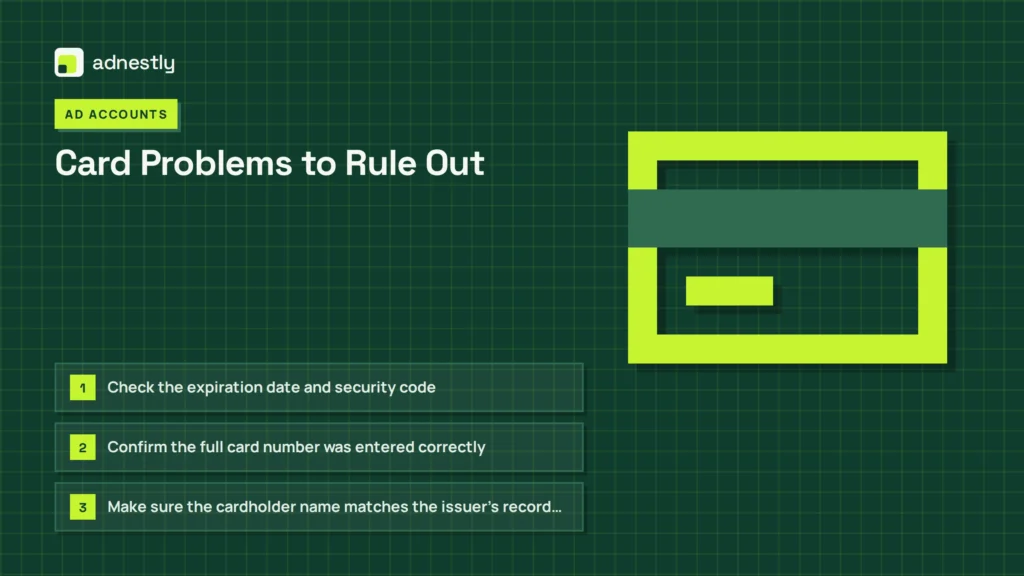
A card failure is the most common explanation, but “the card is valid” doesn’t prove it’s eligible for Meta advertising. Cards can be active for ordinary purchases while blocking recurring or cross-border merchant transactions.
Inspect the physical or digital card and compare it with the saved method:
- Check the expiration date and security code.
- Confirm the full card number was entered correctly.
- Make sure the cardholder name matches the issuer’s record closely.
- Verify the billing street address and ZIP code.
- Check whether the card has online or international purchases disabled.
- Confirm that available credit or cash exceeds the amount due.
- Ask whether the card allows recurring merchant charges.
- Replace a disposable virtual card with a standard business or personal card.
- Try a different card network if one network continues to fail.
A debit card may be declined because the bank treats the transaction as an international online charge, even when the business is located in the same country. A credit card may fail because the issuer sees rapid retries as suspicious. A prepaid card may also lack the authorization or recurring-payment support required for ad billing.
Don’t publish card numbers, CVV codes, screenshots, or full statements in a support chat. If Meta asks for documentation, obscure sensitive numbers except for the limited digits specifically requested.
When should you call the bank?
Call the issuer using the number on the card or inside its official app. Tell the representative that you’re authorizing an online advertising charge from Meta and ask whether the transaction was blocked for:
- Fraud prevention
- International processing
- Recurring billing
- Merchant category restrictions
- Daily spending limits
- Card-not-present transactions
- Exceeded credit or debit limits
Ask the bank to confirm the correct decline reason, not merely whether the card is open. If the bank says it approved the transaction, save the date, time, amount, and authorization result for Meta Support.
Bank and Billing Mismatches
A mismatch between the ad account and payment profile can cause rejection even when every card field looks correct. Meta may compare your country, currency, business information, tax details, and card issuer location during payment processing.
Review the account’s country setting and currency before changing them. In many advertising systems, these settings can’t be casually switched after the account is created. Creating another account may split reporting, reset historical settings, or trigger additional reviews, so contact support if the original setup is wrong.
| Detail to compare | Where to check | What must match |
|---|---|---|
| Cardholder name | Bank app or statement | Name entered in payment settings |
| Billing address | Issuer profile | Street, city, state, and ZIP |
| Country | Ad account and card issuer | Supported country relationship |
| Currency | Billing settings and statement | Expected charge currency |
| Tax information | Business settings | Registered legal details, where applicable |
| Payment type | Card or bank profile | Recurring and online capability |
| Balance due | Payment activity | Exact oldest unpaid amount |
A business card can be declined when the ad account is registered to an individual with unrelated billing information. Conversely, a personal card may fail if the account’s tax or business profile requires additional verification. Use a payment method authorized by the person or company responsible for the advertising account.
If you recently moved, changed your legal business name, or updated your bank address, ask the issuer which address it currently verifies. The address shown on a statement may differ from the address entered in a payment form.
Meta Billing Settings
Meta’s billing model affects when and how a charge appears. Depending on the account and payment setup, you may be charged when you reach a billing threshold, on a scheduled billing date, or through a manual payment. A decline can therefore happen after a campaign has delivered normally for days.
Review payment settings rather than only the campaign dashboard. Confirm the primary method, backup method, spending limit, billing threshold, payment history, and any manual payment balance. Check whether a previous card is still marked primary after you added a replacement.
Useful actions include:
- Set one dependable primary card.
- Add one backup method, not a long list of unverified cards.
- Remove expired or canceled methods.
- Pay the oldest balance before adding budget.
- Confirm account-level and campaign-level spending limits.
- Download the transaction record and compare it with the bank statement.
- Check whether the charge is pending, failed, reversed, or completed.
A small pending amount may be a temporary authorization used to validate a card. It isn’t necessarily a second advertising charge. The bank may release it automatically, but timing varies by issuer. If both a pending authorization and a completed charge remain, compare dates and transaction identifiers before disputing anything.
Don’t dispute a legitimate Meta charge with your bank simply because the campaign was paused. A chargeback can create a payment-risk review or account restriction. First determine whether the payment was completed, duplicated, unauthorized, or merely pending.
Fix Facebook Ads Payment Declined Errors
Use this sequence instead of repeatedly clicking “Retry.” It separates a simple card correction from an account-level issue and leaves a clear record for support.
Step 1: Pause unnecessary changes
Keep campaigns paused if delivery already stopped, but don’t delete the campaigns or duplicate the ad account. Preserve the error message and note the exact amount, date, and payment method used.
Step 2: Capture the failure
Take a screenshot that shows the message without exposing sensitive card information. Record:
- The ad account ID
- The payment profile or business portfolio
- The failed amount
- The last four card digits
- The time and date
- The bank’s decline explanation, if available
Step 3: Correct the card
Re-enter the card, address, expiration date, and security code. If the card was replaced, remove the obsolete method and add the new one. Make sure the bank has approved online, recurring, and international advertising charges.
Step 4: Clear the oldest balance
Open payment activity and pay the oldest amount due. If the first method failed and the second method succeeded, verify that the first one wasn’t later captured before making another payment.
Step 5: Try one backup method
Use a legitimate card belonging to the business or authorized account owner. A different network can help distinguish a card-network problem from an account restriction, but repeated substitutions can increase risk signals.
Step 6: Allow processing time
Wait for the payment result to update before trying again. Multiple rapid attempts can generate several pending authorizations or cause the bank to block additional attempts.
Step 7: Recheck delivery
After the balance clears, inspect campaign status, account restrictions, audience availability, schedule, and policy review. A successful payment doesn’t automatically resolve a separate ad rejection.
Pro Tip: If the bank confirms approval but Meta still shows failure, stop retrying and contact Meta through the account’s support route. Provide the failed amount, timestamp, last four digits, and bank confirmation—never the full card number or security code.
For Meta’s own explanation of failed ad payments and available troubleshooting paths, review its payment failed troubleshooting guidance.
Payment Methods Compared
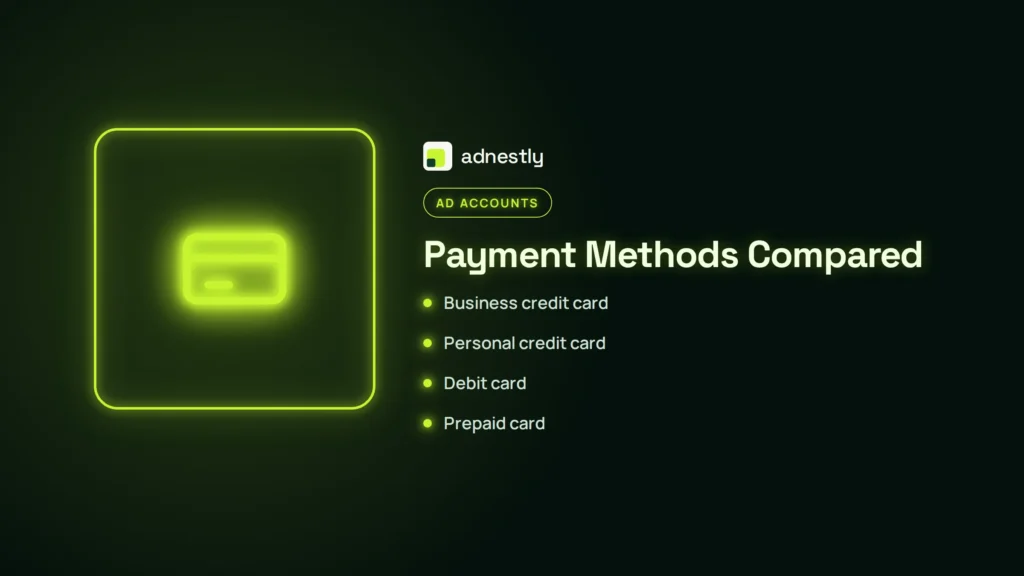
No payment method is universally best. Availability depends on country, account eligibility, currency, business setup, and Meta’s current options. Choose a method that the issuer permits for recurring online advertising, not simply one that works at a retail store.
| Payment method | Advantages | Common failure points |
|---|---|---|
| Business credit card | Clear records and recurring-payment support | Credit limit, fraud block, expired card |
| Personal credit card | Often quick to add | Name, business, or authorization mismatch |
| Debit card | Direct access to bank funds | Insufficient balance or online restrictions |
| Prepaid card | Spending control | Recurring charges or verification limitations |
| Virtual card | Limits exposure of the main card | Disposable numbers may be rejected |
| PayPal, where available | Separate funding source | Account country, funding source, or verification issue |
| Manual payment, where available | Budget can be funded in advance | Availability, balance, or currency restrictions |
Use a business payment method when several people manage the account and the company owns the campaigns. Keep the card issuer’s contact information and billing address current. If a method fails consistently, don’t assume adding it repeatedly will eventually make it work.
What If Every Card Fails?
When two valid methods fail, investigate the account rather than the plastic. An account-level payment review, disabled business portfolio, incorrect country configuration, or identity request can reject every new card.
Check for:
- Payment risk review or unusual-activity alerts
- A disabled ad account or business portfolio
- A locked personal profile used to administer the account
- Unfinished identity or business verification
- A mismatch between the payer and business owner
- A chargeback, refund dispute, or reversed payment
- A newly created account with unusually high spending
- Login activity from unfamiliar locations or devices
Secure the account before contacting support. Change the password, enable two-factor authentication, remove unknown administrators, review active sessions, and check whether someone changed the payment method. If you see an unauthorized charge, document it separately from an ordinary declined payment.
Contact support from inside the affected business or ad account. Explain what changed, what the bank reported, and which steps you already completed. Include screenshots with private data covered. Support can investigate account-specific billing records; a generic public form usually can’t resolve an ad-account payment profile as efficiently.
Warning: Never pay a person who claims to be a Meta employee through a direct message, cryptocurrency transfer, gift card, or personal bank account. Use only support options available inside the authenticated business environment.
Prevent Future Declines
Prevention is mostly recordkeeping and account hygiene. A campaign can spend continuously until a threshold or scheduled charge arrives, so discovering a card problem only after delivery stops creates avoidable downtime.
Use this maintenance routine:
- Review billing activity weekly during active campaigns.
- Keep one tested backup method available.
- Set bank alerts for online, international, and recurring charges.
- Monitor credit limits and debit balances.
- Remove former employees and agencies from business access.
- Turn on two-factor authentication for administrators.
- Keep business name, address, tax, and payment records consistent.
- Avoid sudden budget increases immediately after adding a new card.
- Save invoices and transaction IDs for accounting.
- Check card expiration dates before they arrive.
| Preventive check | Suggested timing | Owner |
|---|---|---|
| Review failed and pending charges | Weekly | Finance or account admin |
| Confirm card expiration | Monthly | Payment owner |
| Check account restrictions | Before major launches | Business admin |
| Test backup payment method | Before a large campaign | Authorized payer |
| Reconcile invoices and statements | Each billing cycle | Bookkeeper |
| Review users and permissions | Monthly or after staff changes | Business admin |
| Confirm bank alerts | After card replacement | Cardholder |
Avoid changing the country, currency, legal entity, and payment method at the same time. If something then fails, you won’t know which change caused it. Make one correction, wait for the account to update, and record the result.
When to Contact Support
Contact Meta after you have checked the account, corrected billing details, spoken with the bank, and tried one legitimate backup method. Contact the bank first when it explicitly shows a declined authorization. Contact Meta first when the account is disabled, the payment profile is restricted, or the bank says no authorization request arrived.
Prepare a concise support case:
- Ad account ID and business portfolio ID
- Exact error wording
- Failed amount and currency
- Date and time, including time zone
- Last four digits of the attempted card
- Bank’s response or decline code
- Steps already completed
- Screenshot with sensitive details hidden
Ask a specific question: “Is this a card authorization failure, an unpaid balance, or an account-level payment restriction?” That’s more useful than saying only that the card doesn’t work.
Keep the case number and reply in the same thread. Opening many duplicate tickets can split the history and slow communication. If support requests identity or business documents, use the official upload flow and verify that the request appears within your authenticated account.
When is a bank dispute appropriate?
A bank dispute is appropriate for an unauthorized completed charge, a genuine duplicate charge, or a transaction that remains incorrectly completed after Meta can’t resolve it. It isn’t the first fix for a normal decline, temporary authorization, or legitimate campaign spend.
Related guides
- Something Went Wrong Ads Manager: What It Means and How to Fix It
- Business Manager Error: Something Went Wrong, Try Again Fix
Frequently Asked Questions
Why is my Facebook ad payment being declined?
The usual causes are an expired card, insufficient funds, incorrect billing details, a bank security block, an unpaid prior balance, or an ad-account restriction. Check payment activity and account status first, then call the card issuer to ask for the exact decline reason.
Why does my card work everywhere except Facebook Ads?
Advertising charges may be recurring, international, or categorized differently from ordinary retail purchases. Your bank may block that transaction type even though the card works elsewhere. Ask the issuer to allow online advertising, recurring billing, and international processing if appropriate.
Will adding another card fix a declined payment?
It can fix a card-specific problem, but it won’t fix a disabled account, unpaid balance, identity review, or country mismatch. Resolve the oldest balance and account restriction first. Add only one legitimate backup method and wait for the result before trying again.
How long does a failed Facebook ad payment take to clear?
A failed payment may update quickly, while a pending authorization can remain visible until the bank releases it. Timing depends on the issuer and payment method. Don’t assume a pending amount is a second charge until it appears as completed on the statement.
Can I run ads after a payment is declined?
Usually not until the outstanding balance is paid and the account is eligible to spend again. After payment succeeds, also check campaign status, policy review, schedule, and account restrictions because billing resolution doesn’t automatically restart every campaign.
Should I delete my ad account and create a new one?
No. A new account can lose history, divide reporting, and create additional security or policy reviews. Keep the original account, correct the payment or verification issue, and use Meta’s support process when an account-level restriction prevents billing.
Conclusion
Start by opening Billing & payments and identifying the oldest failed charge, then call your card issuer with the exact amount and time. Correct one issue at a time, document each result, and escalate through the affected account if a valid bank-approved payment still fails.

Aaron Kelly writes about Facebook tools, account management, and business advertising. His content covers account security, Facebook Ad Accounts, Business Manager setup, Pixel and conversion tracking, Business Manager verification, and admin profile verification. He focuses on explaining technical processes and common account issues in practical terms, helping businesses and advertisers manage their Facebook assets more effectively and build a more secure, reliable advertising setup.
Checked against Meta’s own documentation. How we write and update guides