Facebook Ads Billing Threshold Explained

Facebook ads billing threshold explained means Meta charges your ad account when its unpaid ad costs reach the threshold, or when the monthly billing date arrives first. The amount isn’t the same for every account, and it can change as your payment history develops. Your daily budget controls delivery; the billing threshold controls when Meta collects payment. You’ll find the current amount in Ads Manager under Billing & payments, along with your next payment date and outstanding balance.
$ part ofFacebook Ad Account Problems: How to Fix Every Common IssueThe complete guide this article belongs toOpen guide →What the Facebook ads billing threshold means
A billing threshold is the unpaid advertising balance that triggers a charge. Meta may charge your payment method when your eligible ad costs reach that threshold, or on your monthly bill date before then. Using a billing threshold is inexpensive relative to the alternative.
This amount isn’t a spending limit. It doesn’t stop your ads when you reach it, and it doesn’t tell Meta how much you’re allowed to spend in one day. Your campaign budget, account spending limit, and billing threshold are separate controls.
The threshold is mainly for advertisers using automatic payments. Meta lets the account spend, records the advertising costs, and then collects payment from the saved card, PayPal account, or another accepted method. The exact payment options depend on your country, currency, account setup, and business details.
A common misconception is that you can freely choose any threshold you want. Meta may set or adjust it based on the account and payment history, so the amount shown in your Ads Manager is the useful value—not a number found in another advertiser’s account.
The threshold also isn’t always your first charge amount. A new account may receive smaller charges while Meta confirms successful payments. When payments keep working, Meta may increase the threshold. That can reduce the number of transactions, but each individual charge may be larger.
How to check your billing threshold
The exact menu names can differ slightly between the Ads Manager website and the mobile app. Use the account that owns the ads, not a personal profile that only has limited access.
- Open Meta Ads Manager and choose the correct ad account. Check the account ID before changing anything, especially if you manage ads for more than one business.
- Open Billing & payments. In some layouts, this appears under the main menu, the account tools menu, or the payment settings area.
- Select Payment activity or Payment settings. Look for wording such as billing threshold, next payment, payment method, or account balance.
- Read the current threshold and balance together. The threshold tells you when Meta may charge; the balance shows what the account currently owes.
- Check the payment date and recent transactions. Compare the charge history with your bank or card statement. Meta may show a pending payment before your bank completes it.
- Review the ad account currency. A threshold shown in USD can’t be compared directly with a threshold shown in CAD, EUR, GBP, or another currency.
- Save a record of the screen or transaction ID if you need help. Don’t delete the payment method or close the account while a charge is still pending.
The main judgment call is deciding whether a charge is expected or a payment problem. If the balance is near the displayed threshold and the transaction appears in Payment activity, wait for the payment status to update; if the charge isn’t listed or the amount doesn’t match, contact Meta support and your payment provider before restarting ads.
You’ll need account access to view these details. If you’re locked out, disputing an unauthorized charge, or dealing with a tax or business-record issue, use Meta support or your accountant; don’t try to fix it by creating a second ad account.
Billing threshold numbers and settings

Use the value shown in your own account as the source of truth. These situations explain what each number means and what to check before changing your campaigns.
| Situation | What to use | How long | What to watch for |
|---|---|---|---|
| Current automatic-payment trigger | Billing threshold in Ads Manager | Until Meta changes it | It can differ by account and currency |
| Amount already owed | Current balance or amount due | Until the next successful payment | A balance may be below the threshold |
| Regular campaign control | Daily or lifetime budget | For the budget period | It controls delivery, not charge timing |
| Hard account cap | Account spending limit | Until you edit or remove it | Reaching it can stop ad delivery |
| Scheduled collection | Monthly billing date | Each billing cycle | Meta may charge before the threshold is reached |
| Failed collection | Past-due balance | Until payment succeeds | Ads may be restricted or stop running |
| Payment record | Transaction and receipt details | Keep for your business records | The bank’s posting date may differ from Meta’s date |
If you’re trying to avoid one large card charge, lowering a campaign budget may reduce spending but won’t necessarily lower the threshold. If you need tighter payment control, check whether your account supports manual payments or another payment arrangement in your country.
What keeps billing working smoothly
Check the payment method before launching a new campaign. The card should be active, have the correct billing address, and allow online or recurring transactions. A card that works for a normal purchase can still reject an advertising charge because the issuer treats recurring payments differently.
Keep the ad account’s legal business details and tax information consistent with the payment profile. If a business has several ad accounts, label each account clearly and record its currency, payment method, and person responsible for approvals.
Watch the account in this order: payment status first, current balance second, and campaign delivery third. If you look only at campaign results, you might miss a failed charge until ads stop. If you look only at the bank statement, you might miss a pending payment or an unpaid balance inside Meta.
Check a charge against the transaction record before disputing it. Confirm the account ID, date, currency, and amount. A common costly mistake is disputing a legitimate charge with the bank before checking Ads Manager; the dispute can leave the account past due and interrupt active campaigns.
Don’t treat a higher threshold as permission to raise your budget. The trade-off is simple: fewer automatic charges can make bookkeeping easier, but a larger charge can put more pressure on your card’s available credit. Keep the budget at the level your business can actually pay.
The amount and timing vary by account, currency, payment method, and payment history; find your exact figure from Billing & payments, not from a screenshot or guide written for another advertiser.
Billing problems and quick fixes
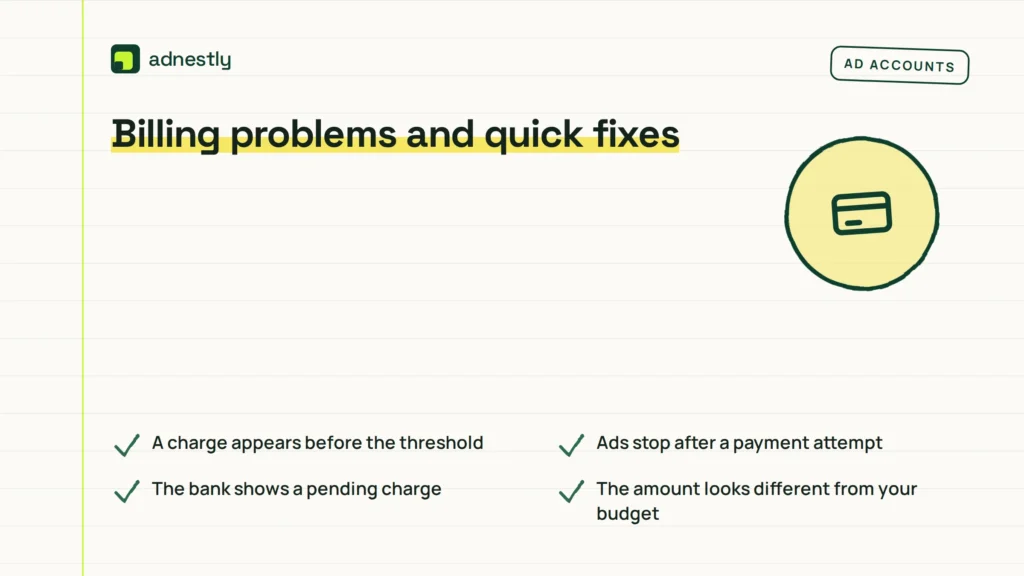
Start with the transaction status in Ads Manager, then compare it with your bank or card statement. The table below covers common signs without assuming that every failed payment has the same cause.
| What you notice | What it usually means | What to do first |
|---|---|---|
| A charge appears before the threshold | The monthly billing date arrived first | Check the billing date and payment activity |
| Ads stop after a payment attempt | The payment failed or the account has a past-due balance | Review the error, then update or replace the payment method |
| The bank shows a pending charge | The payment may still be processing | Wait for the status to settle before making repeated changes |
| The amount looks different from your budget | The budget and billing threshold are separate | Compare the receipt, currency, dates, and account ID |
| The threshold changed | Meta adjusted the account’s billing level | Use the current value shown in Billing & payments |
| A charge isn’t yours | The account or payment method may be compromised | Secure access and contact Meta and the payment provider promptly |
Don’t add several new cards at once. That can make it harder to identify which method Meta tried and which payment actually succeeded.
Meta payment rules
Meta’s payment rules depend on the ad account’s country, currency, payment method, and payment setup. Meta may charge when the account reaches its billing threshold or when its monthly bill is due, so the threshold isn’t a guaranteed monthly amount.
Meta can also limit, pause, or disable advertising when a payment fails or a balance remains unpaid. Your card issuer can add a separate decline, verification, currency-conversion, or recurring-payment rule. Meta can’t remove a restriction imposed by your bank.
For the current account-specific wording, use Meta’s billing threshold guidance. The amount and available payment options shown in your account take priority over general examples.
If you’re disputing fraud, a tax treatment, or a charge that your business can’t identify, keep the transaction ID and contact the relevant party. Contact Meta for the ad-account record, your card issuer for the payment dispute, and a tax professional for bookkeeping or tax advice.
Don’t change payment settings during an active legal or financial dispute without keeping records first. If a payment problem could affect payroll, a client contract, or a regulated campaign, pause new spending and ask the responsible finance or legal professional to review it.
After a payment goes through
Keep the receipt, transaction ID, currency, and ad account ID with your business records. Match each Meta transaction to the card or bank statement, especially when several ad accounts use the same payment method. Record the charge date and amount as they appear in each system, because posting dates can differ.
Review the account whenever the payment method changes, a charge is declined, or the amount due looks unfamiliar. The next useful sign isn’t a fixed maintenance interval; it’s a mismatch between Meta’s payment activity and your bank statement. If a charge is unfamiliar, first check the ad account ID, currency, and other accounts using that card before treating it as a duplicate or unauthorized payment.
If Meta shows a failed payment, fix the payment method and confirm that the balance is no longer past due. Don’t assume that adding money to the card has solved the issue until Ads Manager shows a successful payment or normal delivery. If delivery remains stopped after the payment succeeds, check for a separate account, campaign, or account-status issue rather than repeatedly submitting the same card.
When the threshold rises and your charges become larger, update your cash-flow record. A higher threshold may mean fewer transactions, but you’ll need enough available credit for the larger collection. Keep that reserve available before the next collection.
When the threshold isn’t the right tool
A billing threshold isn’t the right control if you need a strict maximum for total ad spend. Use an account spending limit or campaign budget, and check that the limit applies to the correct ad account.
It also isn’t ideal if your card has a low available balance or you need to approve every payment manually. Use an available manual-payment option in your country, or work with your finance team to fund and monitor the account before ads run.
This system isn’t for proving that a charge is unauthorized. A threshold only explains when Meta may collect money; it doesn’t confirm who created the ads. Secure the account, review account access, and contact Meta and your payment provider if the activity isn’t yours.
If a failed payment would stop a time-sensitive campaign, don’t keep retrying without checking the decline reason. Ask the card issuer about recurring online payments and ask Meta support to review the account status.
Frequently asked questions
Can I change my Facebook billing threshold?
Sometimes, but not always. Meta controls the threshold available to an ad account, and the option to change it depends on your account and payment setup. Check Billing & payments for an edit option rather than relying on another account’s settings. If no option appears, use the payment method and budget controls that are available to you.
Why did Facebook charge me before I reached the threshold?
Because the monthly billing date can trigger payment before the account reaches its threshold. A pending balance, a prior unpaid amount, or an account-specific payment event can also affect what you see. Compare the transaction date, current balance, billing date, and currency in Ads Manager before contacting your bank.
How long does a Facebook ad payment take to clear?
A successful card payment often appears quickly, but the final bank posting time depends on the card issuer and payment network. Look at the payment status in Ads Manager first. Don’t submit repeated payments while one is pending, because you could create duplicate charges or make the account history harder to read.
Is it safe to keep automatic payments enabled?
Yes, when you recognize the ad account, control its users, and monitor the payment method. Automatic payments can keep campaigns running without manual funding, but they can also create charges you weren’t expecting if budgets or account access aren’t reviewed. Use account alerts, limit access, and check transaction records.
What happens if my Facebook payment fails?
Meta may retry the payment, restrict delivery, or stop ads while the balance remains unpaid. The exact response depends on the account and payment method. Read the error in Ads Manager, check the card issuer, and update the payment method only after confirming the account and amount.
How often should I check Facebook ad billing?
Check your billing activity whenever you launch a new campaign, change a budget, replace a payment method, or see a delivery warning. For active business campaigns, reconcile payment activity with bank records on the same schedule as other advertising expenses. The ideal frequency depends on your spending level and cash-flow needs.
Conclusion
From here, check your billing details regularly and make sure your payment method is current. If a charge looks unexpected, review the related campaign activity and contact Meta support before changing your budget. Staying aware of your balance can help prevent interruptions and keep your advertising running smoothly.

Aaron Kelly writes about Facebook tools, account management, and business advertising. His content covers account security, Facebook Ad Accounts, Business Manager setup, Pixel and conversion tracking, Business Manager verification, and admin profile verification. He focuses on explaining technical processes and common account issues in practical terms, helping businesses and advertisers manage their Facebook assets more effectively and build a more secure, reliable advertising setup.
Checked against Meta’s own documentation. How we write and update guides