Special Facebook Ad Category Required: What to Do

Yes, you must select it. Meta requires the special ad category when your campaign promotes housing, employment, credit, or social issues and politics. If your ad touches any of them, open Ads Manager right now and check the box before you publish. Leaving it off won’t save you time; the system will reject the ad or disable your account.
$ part ofFacebook Ad Account Problems: How to Fix Every Common IssueThe complete guide this article belongs toOpen guide →When does Meta require the special ad category
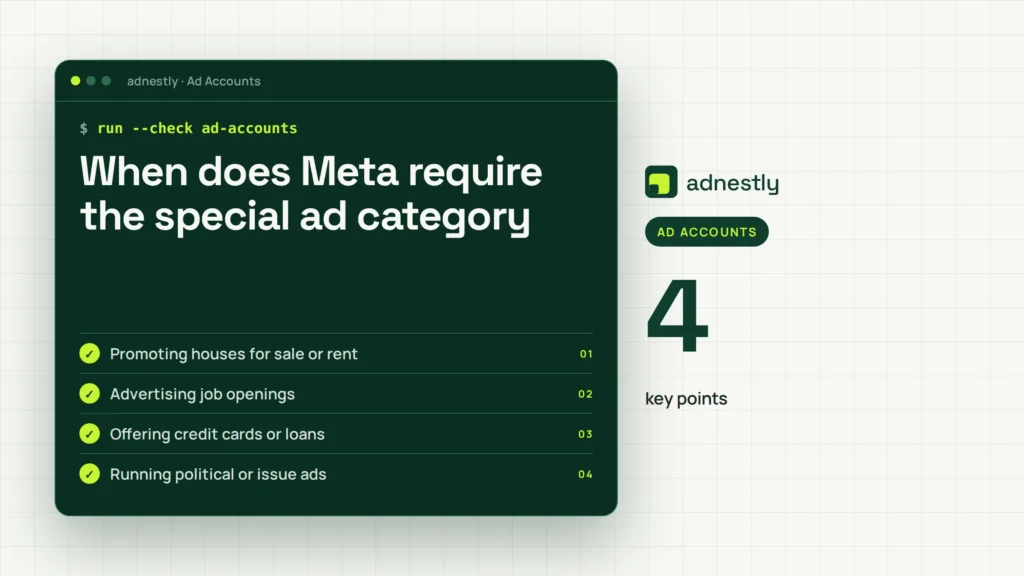
The answer changes based on what you’re promoting and where your audience lives. Check the table below against your current campaign setup.
| Your situation | Answer | Why |
|---|---|---|
| Promoting houses for sale or rent | Yes | Housing laws limit targeting |
| Advertising job openings | Yes | Employment rules restrict age and gender filters |
| Offering credit cards or loans | Yes | Credit ads face strict anti-discrimination rules |
| Running political or issue ads | Yes | Local election laws require transparency |
| Selling shoes or clothing | No | Standard e-commerce has no targeting limits |
| Advertising a local restaurant | No | Food businesses don’t fall under these rules |
| Promoting a software subscription | No | Tech products aren’t restricted here |
If your ad fits the first four rows, you’ll need to adjust your targeting settings. If it falls into the last three, you can use all standard options without extra steps.
Advertisers often misclassify home insurance or mortgage refinancing as general finance. Meta treats anything tied to housing eligibility or terms as a housing ad. That mistake disables your campaign mid-flight and resets the learning phase entirely.
A similar trap exists with credit. Ads offering payment plans for furniture or electronics count as credit if they mention financing terms. You must select the credit category even when the product itself is physical goods.
Political ad requirements also shift by country. An issue ad about climate policy needs the category in the US but might not elsewhere. Always review Meta’s special ad category documentation to confirm which exact rules apply to your specific region and industry.
What decides if your ad needs it
The topic of your ad decides everything. Meta’s automated systems scan your text, images, landing page, and audience settings to figure out what you’re selling. They don’t just read your headline; they look at the whole picture. If the system sees words like “mortgage,” “hiring,” “loan,” or “vote,” it flags the campaign automatically.
You might think you can avoid the flag by using clever wording. That doesn’t work. The AI checks your landing page too. If your ad says “great opportunities” but links to a job board, the system catches it. It compares the destination URL against known patterns for housing, jobs, credit, and politics.
Housing covers more than just real estate agents. It includes homeowners insurance, mortgage brokers, and apartment listing sites. If you help people find a place to live or finance one, you’re in this group. The rules come from laws like the US Fair Housing Act, which stops advertisers from excluding people based on race, religion, or family status.
Employment means any ad trying to recruit workers. It doesn’t matter if it’s a full-time corporate role or a part-time gig. You can’t target only 25-year-old men for a warehouse job. The category forces you to keep your audience broad so everyone gets a fair chance to see the opportunity.
Credit applies to anyone offering money, financing, or credit cards. Auto loans, student loans, and even store credit cards count. Lenders historically used narrow targeting to exclude certain neighborhoods. The special category stops that practice on Meta’s platforms.
Social issues and politics cover elections, ballot measures, and major public debates. This one varies heavily by country. A topic that counts as a social issue in the US might not trigger the rule in another market. You have to check Meta’s official list of social issues for your specific target country before launching.
Here is the trade-off: selecting the category keeps your account safe and your ads running, but it removes your most precise targeting tools. You lose the ability to filter by age, gender, and zip code. You also lose some detailed interest categories.
If your ad mentions housing, jobs, credit, or politics, turn the setting on; if it sells a normal retail product, leave it off.
How to set up your campaign correctly
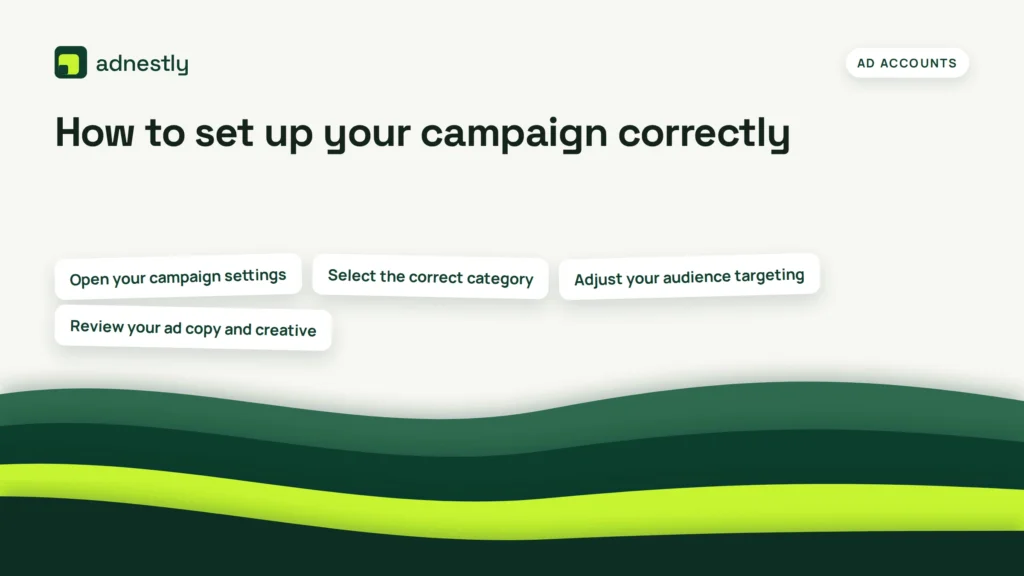
Getting this right takes a few specific clicks in Ads Manager. Follow these steps exactly to prevent rejections and keep your delivery steady.
-
Open your campaign settings. Go to Meta Ads Manager and click the green Create button. Choose your objective. At the very top of the campaign level, you’ll see a toggle switch labeled Special Ad Categories. Don’t skip down to the ad set level yet; this switch only lives at the top.
-
Select the correct category. Click the dropdown menu next to the toggle. Pick Housing, Employment, Credit, or Social Issues & Politics. Only choose the one that matches your actual offer. Selecting two when you only need one restricts your audience more than necessary.
-
Adjust your audience targeting. Move to the ad set level. You’ll notice several options are greyed out. Age is locked to 18-65+. Gender is locked to All. Zip code targeting is disabled. You can still target by city or region, but the radius must be at least 15 miles in the US. Build your audience using the remaining broad interests.
-
Review your ad copy and creative. Go to the ad level. Read your text carefully. Remove any phrases that imply preference for a certain demographic, even if you didn’t mean to exclude anyone. Phrases like “perfect for young singles” in a housing ad will get rejected. Keep the language focused on the property, the job duties, or the loan terms.
-
Check your landing page. Make sure the website you link to matches the category you selected. If you chose Employment, the page should show job details. If the page suddenly asks for a credit application, the system might reject the ad for a mismatch between the category and the destination.
-
Submit for review. Click Publish. Special category ads sometimes take slightly longer to review than standard ones. Expect a wait of a few hours to a full day. Don’t edit the ad while it’s in review, as that restarts the clock.
The sign that you did this right is the ad moving to “Active” status without warning banners. If you see a yellow triangle saying “Rejected” or “Limited Delivery,” go back to step two and verify your category choice.
This process isn’t for someone running a quick personal post to sell their own used car. It’s built for businesses actively advertising regulated services. If you’re just boosting a casual photo, you won’t hit these screens.
Why skipping the selection costs you
Leaving the category turned off when you actually need it’s the fastest way to lose ad spend. People build a campaign, fill in their targeting, and rush to publish. They assume Meta won’t notice a small housing ad mixed in with their regular marketing.
The system always notices. When it catches an unflagged ad, it doesn’t just pause it quietly. It rejects the ad entirely. Worse, it can lower your account’s quality ranking. A low ranking means you pay more per click on every future ad you run, even the ones that don’t need the category.
The cost isn’t just a paused campaign. It’s the hours spent rebuilding the ad set from scratch. Because once the system flags you, you can’t just flip the switch and resume. You often have to duplicate the campaign, apply the category to the new copy, and submit it again. That resets your learning phase. The algorithm starts over, spending your budget inefficiently for another few days while it figures out who clicks.
For businesses running tight budgets, losing three days of optimized delivery hurts. You pay for impressions that don’t convert while the new campaign learns.
The single check that prevents this happens before you write any copy. Look at your landing page URL. Ask yourself if a stranger reading that page would think you offer a home, a job, a loan, or a political message. If the answer is yes, the category goes on. Don’t try to guess how the algorithm reads your intent. Read your own page like a regulator would. That five-second check saves you from rebuilding campaigns twice a week.
When to stop and call a professional
Handling basic ad setups is fine for everyday products, but regulated ads cross legal lines quickly. You should stop managing this yourself and hire a specialist when you see these signs:
- Your ad gets rejected three times in a row, because repeated policy violations can lead to a permanent ban on your business manager account. A certified Meta media buyer handles appeals properly.
- You advertise housing across multiple states or countries, because fair housing laws change by jurisdiction and a compliance lawyer knows the exact boundaries.
- You run recruitment ads for federal contractors, because government hiring rules add layers of complexity that standard marketers don’t study. An employment attorney reviews the copy.
- You promote financial products like mortgages, because banking regulators audit advertising channels and mistakes carry heavy fines. A compliance officer approves the final text.
- You run political ads during an election cycle, because missing a disclaimer requirement violates election law. A specialized political ad agency manages the filings.
The catch is your own legal knowledge. You can read the exact targeting restrictions inside your Ads Manager dashboard, but interpreting how those technical limits interact with local anti-discrimination laws requires training. Pushing past that line risks your budget and your business license.
Frequently asked questions
Can I use zip codes for special ad categories?
No, you cannot. Meta disables zip code targeting completely for housing, employment, credit, and political ads. You must use a minimum radius of 15 miles around a city or address in the United States. In some other countries, the minimum radius might differ, but the principle stays the same. The platform enforces this to prevent advertisers from excluding specific neighborhoods. Check your ad set map to confirm the radius size before publishing.
Why did Meta reject my housing ad?
It was likely rejected because your text or image implied a preference for a specific type of person. Words like “bachelor pad,” “perfect for families,” or “ideal for seniors” violate fair housing policies. Even mentioning proximity to a specific church or school can trigger a rejection. Review your copy and remove any descriptive words that point to a demographic rather than the physical features of the property itself.
How long does the review take for these ads?
Special category ads usually take 24 hours to clear review, though many finish in about 4 to 6 hours. This assumes your account is in good standing and your landing page loads correctly. If your business manager is new or recently had policy violations, expect the wait to stretch closer to 48 hours. Don’t edit the ad while it sits in the review queue, as any change restarts the timer from zero.
Is it safe to ignore the category for a small test?
No, it isn’t. Meta’s automated systems don’t care about your daily budget size. A cheap test ad promoting a rental property triggers the exact same policy enforcement as a massive national campaign. Ignoring it risks an immediate rejection and a strike against your ad account. Accumulating strikes lowers your overall account quality, making future ads more expensive to run regardless of their topic.
What happens if I pick the wrong category?
Your ad will either be rejected or delivered poorly. If you select Employment for a credit card offer, the system checks your landing page, finds a mismatch, and blocks the ad. You also restrict your audience unnecessarily. Each category disables slightly different targeting options. Picking the wrong one means you lose access to tools you actually needed while failing to satisfy the legal requirement you were aiming for.
Does this apply to Instagram and Messenger too?
Yes, it does. The special ad category rule applies across all Meta placements. When you select it at the campaign level in Ads Manager, it automatically governs your ads on Facebook, Instagram, Messenger, and the Audience Network. You don’t need to set it separately for each app. The restriction travels with the campaign ID wherever the ad appears.
Can I target by age if I select the category?
No, you cannot. Once you toggle the special ad category on, the age range locks automatically to 18 through 65+. You can’t narrow it down to 25-34, even if your product naturally appeals to that group. This lock exists to prevent discrimination in housing, jobs, and credit. If your strategy relies entirely on reaching teenagers or seniors specifically, this ad format won’t support your goal.
First steps for your special ad category
Go into your campaign settings right now and turn on the correct toggle before writing any copy. Once you publish, expect your ad to enter active status within 24 hours. Watch for steady delivery metrics instead of immediate rejection notices. That smooth approval is your sign the setup worked.
The most common mistake here is guessing which category applies. Housing covers rentals and mortgages, but also roommate-finder apps and home insurance ads. Credit includes credit repair services and store financing offers. Employment reaches internships and gig-economy driver recruitment. Pick the wrong one and the algorithm silently throttles your reach without triggering an error message.
If your ad gets blocked three times or you realize your offer crosses state or national legal lines, stop adjusting the settings yourself. Hand the account to a certified media buyer or a compliance lawyer who handles regulated advertising daily.

Aaron Kelly writes about Facebook tools, account management, and business advertising. His content covers account security, Facebook Ad Accounts, Business Manager setup, Pixel and conversion tracking, Business Manager verification, and admin profile verification. He focuses on explaining technical processes and common account issues in practical terms, helping businesses and advertisers manage their Facebook assets more effectively and build a more secure, reliable advertising setup.
Checked against Meta’s own documentation. How we write and update guides