How to Set Up Facebook Ads Billing for a Client Without Their Card

Facebook ad billing can be set up without the client handing over a card by keeping the client as the ad account owner and using either an agency payment method, a client-added payment method, or an approved invoicing arrangement. The safest setup gives the agency permission to manage campaigns without giving it ownership of the client’s personal Facebook login.
$ part ofFacebook Ad Account Problems: How to Fix Every Common IssueThe complete guide this article belongs toOpen guide →Key Takeaways
- Keep the client-owned ad account in the client’s Business Portfolio whenever possible.
- Use an agency card only with written authorization, a spending limit, and a clear reimbursement process.
- Let the client add their own payment method through a secure screen share if they don’t want to send card details.
- Check the account’s billing threshold, currency, tax details, and payment status before launching.
- Never ask for a client’s Facebook password, store card details in a spreadsheet, or use a personal ad account for client campaigns.
- Separate the ad spend from your management fee on proposals, invoices, and reports.
Set Up Facebook Ads Billing Without Client Card
The practical goal isn’t to avoid payment; it’s to avoid receiving or storing the client’s card information. Meta still requires a valid funding source or an approved billing arrangement before ads can run. Available options depend on the ad account’s country, currency, business history, account type, and payment eligibility.
- The client adds their card directly to the ad account.
- The agency adds an agency-owned card after receiving written approval.
- The client uses a virtual card or controlled business payment account.
- The client applies for monthly invoicing if Meta offers that option.
The strongest default is the first option: the client owns the ad account and adds the payment method themselves.
Important distinction: The advertising budget and your service fee are different charges. Meta charges the selected payment method for campaign delivery, while you charge the client for strategy, setup, creative, optimization, or reporting.
Choose a Billing Arrangement
Choose the arrangement before building campaigns. A written agreement should identify who pays Meta, who pays your agency, what happens when an account is overdue, and who approves budget increases.
| Arrangement | Who pays Meta | Best use | Main risk |
|---|---|---|---|
| Client card | Client | Most client engagements | Client must complete setup |
| Agency card | Agency | Short-term or trusted engagements | Reimbursement and limit disputes |
| Virtual card | Client or agency | Controlled spending and easy cancellation | Declines, limits, or expiry |
| Monthly invoicing | Client under Meta terms | Larger, established advertisers | Eligibility isn’t guaranteed |
| Manual/prepaid funds | Client or agency | Accounts with that option available | Campaigns may stop when funds run out |
Client adds the card
This is usually the cleanest arrangement. Schedule a short screen share, open Ads Manager, and let the client enter the card information.
You shouldn’t request:
- A photo of the front or back of a Visa, Mastercard, or American Express card
- A card number in email, Slack, Google Docs, or a project-management tool
- The client’s banking password or one-time security code
- A Facebook login shared by several employees
The client can keep ownership while you manage the account through assigned business permissions.
Agency pays first
An agency card can work when the engagement is established and the client has approved the arrangement. Put the following terms in writing:
- The exact daily or monthly ceiling
- Whether taxes and foreign-exchange fees are passed through
- When reimbursement is due
- Whether campaigns pause automatically after nonpayment
- Who approves budget changes
- What happens to ads if the card is replaced or declined
Don’t treat an agency card as unlimited credit.
Client uses a virtual card
A virtual card may give the client tighter control than a physical card. The client can create a card with a limit, restriction, or expiration date. Confirm recurring charges are permitted; some virtual cards allow only one-time transactions.
Pro Tip: Ask the client to create a dedicated card for Meta advertising rather than using the card tied to payroll, rent, or general operating expenses. It makes reconciliation and cancellation easier.
Get the Right Permissions
Billing access and campaign access aren’t identical. You may be able to create ads without being allowed to edit payment methods, or you may have billing access that’s broader than you need.
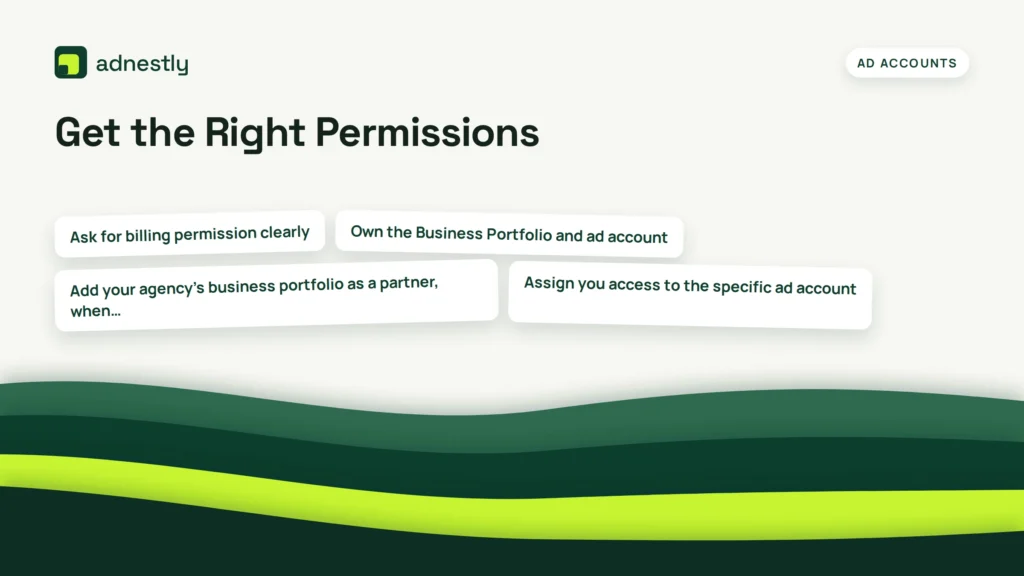
- Own the Business Portfolio and ad account.
- Add your agency’s business portfolio as a partner, when appropriate.
- Assign you access to the specific ad account.
- Assign the Facebook Page, Instagram account, pixel, catalog, and other assets separately.
- Give billing access only to the people who actually need it.
Use named business users rather than a shared login.
| Task | Usually needed | Keep restricted to |
|---|---|---|
| Build campaigns | Ad account advertiser access | Media buyers |
| Publish ads | Advertiser access and Page access | Approved campaign staff |
| View invoices | Billing or finance access | Agency lead and client finance |
| Change payment method | Finance/admin permission | Client owner or trusted finance lead |
| Manage business assets | Business admin access | Client owner and senior agency staff |
| Review performance | Analyst or reporting access | Analysts and account managers |
Ask for billing permission clearly
Instead of saying “give me admin,” explain the exact action you need: “I need permission to view billing status and confirm whether the payment method is active.” If you need to add an agency card, state that separately and identify who will approve charges.
Warning: Never ask the client to send a password or authentication code so you can “set everything up faster.” Use Meta’s business permissions and have the account owner complete sensitive steps.
Add an Agency Payment Method
If the agency is paying, use the ad account’s billing area rather than attaching a card to an employee’s personal profile. The workflow is in Ads Manager, Billing & payments, and the payment-method section.
Before adding the card, confirm:
- The ad account ID
- The business name shown on receipts
- The account currency and time zone
- The country where the payment method was issued
- The approved spending limit
- The person authorized to approve the charge
- Whether the card allows online and recurring transactions
Payment options vary by country and account.
Recommended agency workflow
- Obtain written authorization from the client.
- Save the authorization in the client’s project folder.
- Add the card only to the intended ad account.
- Confirm that the account isn’t using another client’s card.
- Create a low-risk test campaign or keep the campaign paused.
- Check that the payment method appears as active.
- Record the setup date and the approved spending ceiling.
- Remove the card when the engagement ends, if the agency no longer needs it.
Don’t add the same agency card to many unrelated client accounts without a strong reason. Multiple accounts can create confusing charges, card limits, fraud alerts, and reconciliation problems.
Keep card data out of agency systems
Your bookkeeping system should store the amount, date, ad account ID, and invoice reference—not the full card number or security code.
A card on file can be used for future charges even after a campaign is paused if there’s an unpaid balance.
Set Spending Controls
Billing setup is incomplete until you control how quickly money can leave the account. Meta campaign budgets, ad set budgets, account spending limits, and payment thresholds serve different purposes.
- Campaign budget: The planned amount for a campaign.
- Ad set budget: The planned amount for a specific audience or placement structure.
- Account spending limit: A broader ceiling that can stop delivery when reached.
- Payment threshold: The point at which Meta may charge the payment method.
- Billing cycle: The timing of recurring or invoice-based charges.
| Control | What it limits | Example use | What it doesn’t guarantee |
|---|---|---|---|
| Daily budget | Planned daily delivery | Lead campaign capped near a daily amount | Exact charge every day |
| Lifetime budget | Planned delivery across dates | Promotion with a fixed end date | Identical daily spend |
| Account spending limit | Total account spend until changed | Agency card protection | Prevents existing balance collection |
| Payment threshold | When a charge is triggered | Predictable payment timing | Total campaign cost |
| Manual pause | Future delivery | Emergency stop | Reverses existing charges |
Meta’s delivery systems can spend unevenly from day to day while trying to meet the budget over the relevant period.
Pro Tip: Put the approved amount in three places: the signed proposal, the campaign naming convention, and your internal budget tracker. This prevents unrecorded billing disputes.
How Does Meta Charge Ads?
Meta may charge when the account reaches its payment threshold, at a scheduled billing date, or according to the terms of an approved invoicing arrangement. A charge can also include accumulated delivery from multiple campaigns rather than one isolated ad.
Clients often confuse three numbers:
- The budget displayed in Ads Manager.
- The amount delivered so far.
- The amount currently charged or awaiting payment.
These figures may differ because updates aren’t simultaneous.
Explain before launch:
- Ads are billed for delivery, not merely for creating a campaign.
- A paused campaign doesn’t erase earlier delivery.
- A declined card can stop current and future delivery.
- A payment retry may create a later charge after the client updates the card.
- Currency conversion may affect the client’s bank statement.
- Taxes or local charges may appear depending on location and account details.
If a client asks for a fixed monthly invoice, clarify whether you mean a fixed agency fee, a fixed media budget, or a fixed total amount.
Launch and Verify Billing
Do a billing check before publishing.
Use this checklist:
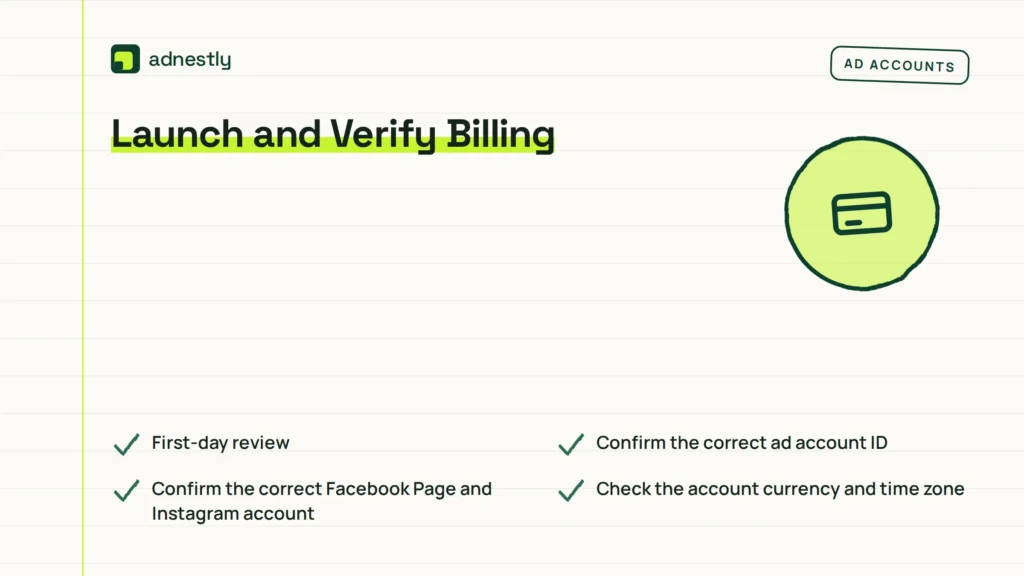
- Confirm the correct ad account ID.
- Confirm the correct Facebook Page and Instagram account.
- Check the account currency and time zone.
- Verify the payment method shows as active.
- Look for an unpaid balance or payment failure.
- Confirm the account spending limit.
- Check the campaign start and end dates.
- Confirm the approved daily or lifetime budget.
- Verify the landing page and tracking setup.
- Ask the client to approve the final budget in writing.
Run a small initial launch when appropriate.
After launch, capture the campaign budget and account status. Record the date, approver, and authorized budget.
First-day review
Review delivery, billing, and account notifications together. Look for:
- Delivery starting on the intended date
- Spend assigned to the correct campaign
- A payment-method warning
- An account spending-limit warning
- Unexpected currency or tax information
- Ads spending from an old campaign
- A budget changed by another user
If something is wrong, pause the relevant campaign first, then investigate.
Handle Invoices and Reconciliation
Create a simple reconciliation process that matches Meta activity to your client invoice. This is especially important when the agency pays Meta and bills the client afterward.
| Record | Owner | Review timing | Keep for |
|---|---|---|---|
| Meta receipt or invoice | Agency finance or client finance | Each billing event | Tax and accounting period |
| Campaign spend export | Account manager | Weekly or monthly | Budget verification |
| Agency service invoice | Agency finance | Contract schedule | Client payment record |
| Approval email or message | Account manager | Before launch or increase | Authorization trail |
| Card charge statement | Cardholder or finance | Monthly | Reconciliation |
Separate these line items on your invoice:
- Media spend paid to Meta
- Agency management fee
- Creative production
- Tracking or landing-page work
- Applicable taxes
- Pass-through processing or foreign-exchange costs, if contractually allowed
Disclose any media-spend markup.
A monthly report shows approved budget, delivered spend, amount charged, unpaid balance, and remaining planned budget. Numbers may not match on the same day, so label the reporting date.
Warning: Don’t invent a Meta invoice, alter a receipt, or describe an agency card charge as a direct client charge.
Fix Common Billing Problems
Most billing problems fall into a few recognizable categories. Identify the category before changing cards or repeatedly retrying payment.
Payment method declined
Check the card’s balance, online setting, billing address, expiration date, and fraud controls. The client may need bank approval. Don’t retry a bank-blocked card.
Ad account has an overdue balance
Find the unpaid amount first. A new payment method may not resolve a balance if the account has a broader restriction or verification request. Ask the client’s finance contact to confirm the charge, then follow the account’s payment instructions.
Card isn’t accepted
The card may be issued in a different country, lack recurring-payment support, or conflict with the ad account’s currency or country settings. Try an eligible method shown inside the account.
Spending limit reached
Check whether the limit applies to the account, campaign, ad set, or card. Document a client-approved budget increase before raising the limit. If the limit is a hard stop, don’t remove it to restore delivery.
Billing access is missing
The client may have advertiser access, not finance access. Ask the business owner to assign the specific billing permission needed.
Account is restricted
A restricted account may involve identity verification, unusual activity, policy enforcement, business information, or payment risk. Don’t create a replacement account to evade it. Preserve the notice, identify requested information, and use the official review path.
Protect the Client Relationship
Billing mistakes usually become relationship problems when expectations were vague. Treat the payment method as part of the operating agreement, not as an informal favor.
Your agreement should cover:
- Who owns the Business Portfolio and ad account
- Who owns audiences, pixels, catalogs, and creative files
- Who pays Meta directly
- Whether the agency may use its card
- The maximum authorized spend
- Required approval for budget increases
- Reimbursement timing
- What happens after a declined payment
- Who can pause campaigns
- How billing records are delivered
- What happens when the contract ends
Use a shared tracker:
- Client name
- Ad account ID
- Payment owner
- Approved monthly amount
- Amount delivered
- Amount charged
- Current balance
- Next review date
- Approval contact
Give access only to people who need it.
If the client refuses to provide a card and doesn’t authorize agency payment, don’t launch. You can complete strategy, creative, audiences, and draft campaigns, but publishing without a valid payment arrangement exposes both parties to avoidable risk.
Frequently Asked Questions
Can an agency run Facebook ads without the client’s card?
Yes. The client can add its own payment method, the agency can use an authorized agency card, or the account may qualify for another payment arrangement. Don’t run campaigns from a personal account or use payment details without documented permission.
Should the agency pay Facebook ad costs?
It can, but reimbursement terms must be written clearly. Define the limit, deadline, taxes, foreign exchange, and late-payment terms. For new or high-risk engagements, having the client pay Meta directly usually reduces the agency’s cash-flow and collection risk.
Can a client add a card during a screen share?
Yes. Have the client control the screen while entering card information. Don’t record the session, take screenshots of the card, or copy the details into your notes. Confirm the payment method appears active without viewing sensitive information.
Why can’t I see the billing section in Ads Manager?
Your role may allow campaign work but not financial management. The client’s business admin or finance owner must assign the appropriate billing permission. You may be viewing the wrong ad account, portfolio, or interface. Confirm the ad account ID before requesting more access.
What happens if the client’s card is declined?
Delivery may stop, and an unpaid balance may remain. Ask the client to resolve the decline or add an eligible payment method. Check restrictions and verify the amount before relaunching.
Conclusion
Set up the client-owned ad account first, then choose the payment method that keeps sensitive card information with the client whenever possible. Before launch, document authorization, confirm permissions, verify billing status, and set a hard budget control. That process lets you manage campaigns professionally without asking for the client’s card details.

Aaron Kelly writes about Facebook tools, account management, and business advertising. His content covers account security, Facebook Ad Accounts, Business Manager setup, Pixel and conversion tracking, Business Manager verification, and admin profile verification. He focuses on explaining technical processes and common account issues in practical terms, helping businesses and advertisers manage their Facebook assets more effectively and build a more secure, reliable advertising setup.
Checked against Meta’s own documentation. How we write and update guides