Facebook Ad Account Disabled for Circumventing Systems Explained

An ad account disabled notice for circumventing systems usually means Google believes your account, ads, payment setup, landing pages, or related accounts attempted to evade review, enforcement, or identity checks. This guide explains what “circumventing systems” means, why it happens, what to fix, how to appeal, and what not to do next.
$ part ofFacebook Ad Account Problems: How to Fix Every Common IssueThe complete guide this article belongs toOpen guide →Key Takeaways
- Don’t create replacements: A new Google Ads account, domain, payment card, or manager account can strengthen the circumvention signal.
- Read the policy notice: Identify whether the issue concerns multiple accounts, suspended assets, payment details, cloaking, misleading content, or identity verification.
- Preserve evidence: Save the notice, change history, billing records, business registration, domain ownership, and explanations of legitimate account relationships.
- Fix the underlying cause: Removing one ad is rarely enough if the same landing page, payment profile, business identity, or tracking setup remains.
- Appeal once carefully: Give Google a factual timeline, specific corrections, and proof that your account isn’t trying to evade enforcement.
- Use official access: Sign in through the Google Ads interface or Google’s support channels, not through third parties promising reinstatement.
What Circumventing Systems Means
In Google Ads, circumventing systems generally refers to trying to bypass advertising rules, review processes, account restrictions, or enforcement actions. It can involve deliberate evasion, but a business may also trigger the policy through linked accounts, repeated technical mistakes, or a confusing ownership structure.
Google may assess more than the individual ad. Signals can include:
- The same domain or landing page used across accounts
- Matching payment methods, billing addresses, or business information
- Repeated creation of accounts after a suspension
- Reuse of suspended ads, assets, audiences, or Merchant Center data
- Redirects that show reviewers different content from users
- Multiple manager accounts controlling apparently unrelated advertisers
- False or inconsistent identity, advertiser verification, or contact information
- Attempts to move activity to a new account while an old account is restricted
The key idea is continuity. If an old account was suspended and a new account appears connected to it, Google may interpret the new account as an attempt to avoid the original enforcement—even if the new account uses a different email address.
That doesn’t mean every related account is prohibited. Agencies, franchises, parent companies, subsidiaries, and in-house teams can legitimately manage multiple accounts. They need transparent ownership, consistent billing, and accurate explanations of who controls each account.
Google’s policy language can change, and enforcement is context-dependent. Review the current circumventing systems policy before preparing an appeal.
Why Google Disables Accounts
A disablement is usually intended to protect the advertising ecosystem from repeated policy violations, deceptive behavior, or attempts to defeat automated and human review. The notice may name circumventing systems even when the visible problem began with another restriction.
Common underlying events
A previous account may have been disabled for:
- Misrepresentation or deceptive business practices
- Unacceptable business practices
- Malicious or compromised websites
- Circumventing systems directly
- Repeatedly submitting disapproved ads
- Suspicious payment activity
- Failure to complete advertiser verification
- Policy violations involving restricted products or services
If the business then opens another account, Google may connect the accounts and apply the circumvention label. Account history matters because enforcement can follow the business, domain, payment profile, or controlling users—not merely the login email.
Intent isn’t the only factor
You don’t necessarily need to intend evasion to receive this notice. Common accidental examples include:
- A former employee opens a second account without telling the owner.
- An agency creates a client account before the client’s old account is resolved.
- A developer clones a website that still contains prohibited claims.
- A payment card is shared among unrelated legal entities.
- A business changes its legal name but leaves old verification details in place.
- A franchise uses the parent company’s billing information without documenting the relationship.
Good faith helps your appeal, but it doesn’t replace correction. Google generally needs to see why the accounts were connected and what controls now prevent the same problem.
Common Trigger Patterns
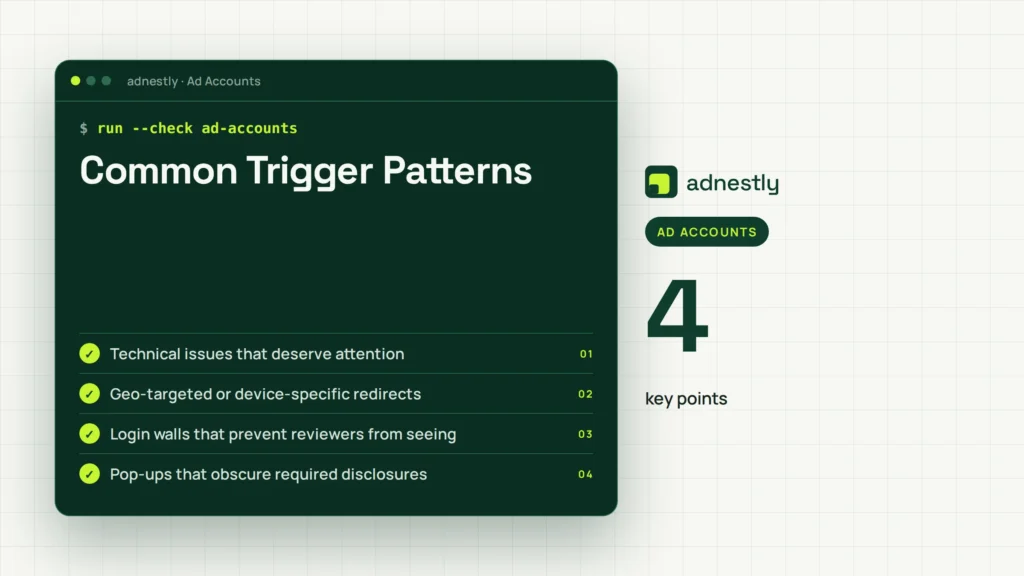
The following patterns aren’t automatic proof of a violation. They’re practical areas to investigate before appealing.
| Trigger pattern | Why it may look evasive | What to examine |
|---|---|---|
| New account after suspension | Looks like enforcement avoidance | Old account status, ownership, reason for opening the new account |
| Shared payment card | Connects apparently separate advertisers | Card owner, billing address, agency authorization |
| Duplicate domains | Suggests a landing-page replacement | Domain ownership, redirects, duplicated claims |
| Reused disapproved ads | Indicates repeated submission | Ad history, asset copies, policy edits |
| Multiple manager accounts | Can obscure control relationships | Admin users, agency structure, client ownership |
| Cloaking or redirects | Shows reviewers different content | Server rules, scripts, geolocation, device redirects |
| Inconsistent business identity | Makes verification unreliable | Legal name, address, phone, registration records |
| Suspended Merchant Center feed | Carries unresolved problems into Ads | Product data, website claims, linked accounts |
Technical issues that deserve attention
A web developer should inspect redirects, JavaScript, server-side rules, and tracking templates. Problems may come from legitimate tools, but you need to know what they do.
Check for:
- Geo-targeted or device-specific redirects
- Login walls that prevent reviewers from seeing the offer
- Pop-ups that obscure required disclosures
- Different content for Googlebot and ordinary visitors
- Expired domains forwarding to a new business
- Tracking templates that pass users through unapproved URLs
- Malware, injected scripts, or compromised CMS accounts
- Broken pages caused by a recent redesign
Don’t delete logs before reviewing them. Server records and deployment history can show whether a suspicious redirect came from your team, a plugin, or a security incident.
What Happens After an Account Is Disabled for Circumventing Systems
A disabled account normally can’t run new ads, and existing campaigns may stop serving. Billing, refunds, balances, conversion data, and linked products can also become difficult to manage until the case is resolved.
The exact experience varies by account and enforcement type. You may see:
- A banner inside Google Ads
- An email explaining the policy category
- Campaigns marked as paused or disapproved
- Limits on creating accounts or submitting ads
- A review or appeal form
- Requests for payment or identity documents
- Related restrictions in Merchant Center or other linked products
Don’t interpret a missing email as proof that the decision was accidental. Check the account’s notifications, email spam folders, administrator inboxes, and manager-account messages.
What not to do
Avoid actions that create more links or more evidence of evasion:
- Opening several replacement accounts
- Buying aged accounts from another person
- Changing the domain only to resubmit identical content
- Using a friend’s card or business identity
- Removing all administrators without documenting access
- Submitting repeated appeals with contradictory explanations
- Paying a “guaranteed reinstatement” service that requests credentials
Repeated attempts can make the case harder to understand. Pause new account creation and investigate the account that received the original action.
Check The Notice First
Before changing anything, make a case file. A calm, documented review is more useful than guessing which signal caused the action.
Record:
- The exact policy name and wording
- The account customer ID
- The date and time of the notice
- The affected domain, campaigns, and Merchant Center accounts
- All administrators and manager accounts
- Payment profiles, cards, bank accounts, and billing addresses
- Previous suspensions or disapprovals
- Any recent ownership, domain, agency, or website changes
Then build a relationship map. Include every account the business owns, operates, or has accessed.
| Item to document | Questions to answer | Useful evidence |
|---|---|---|
| Google Ads accounts | Who owns and administers each one? | Customer IDs, access history |
| Manager accounts | Which agency or employee controls them? | Admin list, authorization records |
| Domains | Are domains related or redirected? | Registrar records, DNS history |
| Payments | Who owns each payment method? | Billing profile, invoices, cardholder proof |
| Business identity | Which legal entity advertises? | Registration, tax or license records |
| Website changes | What changed before disablement? | CMS logs, deployment tickets |
| Prior actions | Was another account suspended? | Notices, appeal outcomes |
Look for the first enforcement event, not just the latest notice. If a previous account had a substantive policy problem, the new account may be a consequence rather than the original cause.
Fix Legitimate Problems
An appeal shouldn’t ask Google to overlook unresolved violations. Correct what you can verify, and explain what can’t be corrected because it was caused by a third party or technical compromise.
Advertising and landing pages
Review every active and recently submitted asset, not only the ad named in the notice. Check:
- Headlines, descriptions, sitelinks, callouts, and images
- Pricing, availability, guarantees, and “free” claims
- Contact information and business identity
- Refund, cancellation, shipping, and privacy information
- Medical, financial, employment, gambling, or other restricted claims
- Destination URLs, redirects, forms, and download behavior
Make the landing page match the ad precisely. Remove unsupported superlatives, fake urgency, hidden fees, and claims that can’t be documented.
Accounts and access
Consolidate unnecessary accounts, but don’t delete evidence first. Remove former staff and vendors, enable strong authentication, and make ownership clear.
A sensible structure might include:
- One account for each legitimate advertiser
- One manager account for an agency or parent organization
- Separate billing profiles for separate legal entities
- Documented client authorization for agency access
- Named administrators with current employment or ownership
Payments and identity
Use payment information that accurately belongs to the advertising entity. Explain shared cards when they’re legitimate—for example, an agency paying on behalf of a client—and provide documentation if requested.
Correct inconsistencies among:
- Legal business name
- Website name
- Billing profile
- Tax or registration documents
- Phone number and address
- Advertiser verification submission
Don’t fabricate proof. Altered documents, borrowed identities, and misleading explanations can turn a recoverable account problem into a stronger trust and safety concern.
Prepare A Strong Appeal
A useful appeal is concise, specific, and supported by verifiable facts. It should answer three questions: what happened, what you changed, and why the account shouldn’t be treated as an evasion attempt.
Suggested appeal structure
| Appeal section | What to include | Avoid |
|---|---|---|
| Identification | Customer ID, business name, domain | Vague account references |
| Situation | Timeline of accounts and actions | Emotional accusations |
| Relationship | Why accounts, cards, or domains connect | Claiming no connection when one exists |
| Corrections | Concrete website, access, and billing fixes | “We fixed everything” without details |
| Evidence | Relevant documents or explanations | Unrelated attachments |
| Prevention | New ownership and review controls | Promises without a process |
| Request | Ask for a manual review | Demanding immediate reinstatement |
Example wording
Our account is operated by [legal business name] at [domain]. We identified that [specific account or event] was connected to this account because [accurate reason]. We have [specific correction], removed [specific access or asset], and reviewed [specific campaigns or pages]. The account wasn’t created to bypass a suspension. We request a manual review and can provide documentation confirming ownership, billing, and business identity.
Adapt the language to your facts. Don’t copy a template that says you have taken steps you haven’t taken.
Evidence to organize
Relevant evidence may include:
- Business registration or licensing documents
- Domain ownership records
- Invoices showing legitimate billing responsibility
- Agency-client agreements
- Screenshots of corrected pages
- Security incident reports
- CMS or hosting logs
- Employee offboarding records
- A list of account administrators and their roles
One clear appeal is usually better than several rushed submissions. If Google requests more information, answer every question directly and keep the explanation consistent with the first submission.
If Appeal Is Denied
A denial doesn’t automatically tell you which detail was insufficient. It may mean Google accepted the enforcement, couldn’t verify the information, or found continuing links to a restricted account.
First, compare the denial with your case file:
- Did you disclose every related account?
- Did you explain the old account’s original violation?
- Did you correct the landing page and payment information?
- Did your evidence prove current ownership?
- Did you accidentally create another account during review?
- Did the appeal contradict your billing or administrator records?
If you discover a genuine new fact or a missed correction, prepare a focused follow-up through the available official process. Explain what is newly clarified rather than repeating the same paragraph.
Don’t outsource control of the account to a third party promising a special channel. Credential sharing can expose payment data, customer information, and administrator access while creating additional account relationships.
If advertising is business-critical, consider compliant alternatives temporarily:
- Organic search and email marketing
- Direct sales and referral partnerships
- Social channels used within their policies
- A different advertising platform after checking its rules
- Offline campaigns and approved industry directories
Don’t use an alternative channel to promote the same prohibited offer or conceal the same business identity.
Prevent Future Enforcement
Prevention depends on governance, not just better ad copy. Create a written account policy covering ownership, access, billing, website changes, and escalation.
Recommended controls
Assign one responsible owner for:
- Google Ads and manager-account administration
- Payment profiles and billing records
- Domain and hosting security
- Policy review before launch
- Employee and agency access
- Appeal documentation
Use a change log for:
- New accounts and manager links
- New payment methods
- Domain launches and redirects
- Website redesigns
- New product categories
- Policy-sensitive claims
- Administrator additions and removals
Pre-launch review
Before publishing, verify that:
- The advertiser’s legal identity is accurate
- The domain belongs to the advertiser or is properly authorized
- The landing page works without unusual redirects
- Claims have supporting records
- Required disclosures are visible
- Billing information matches the real payer
- No suspended account is being replaced or bypassed
- Agencies have written authorization
A quarterly audit can catch stale users, duplicate accounts, expired domains, and unapproved payment arrangements before they become enforcement signals.
Keep Operating Without Evasion
A disabled account can create pressure to act quickly, especially for a small business that depends on leads or sales. The safest response is to separate business continuity from account recovery.
Create a short-term plan with:
- Existing customer email lists used lawfully
- Direct website traffic and branded content
- Phone sales and approved referral programs
- Inventory and fulfillment adjustments
- Customer-service notices if delivery expectations change
- A documented owner for the appeal
Don’t direct customers to a new site solely to disguise the same restricted offer. Don’t ask affiliates to advertise on your behalf while your account is disabled. Those actions can look like indirect circumvention.
Keep financial records separate from advertising decisions. Refunds, unpaid balances, and disputed charges should be handled through the relevant billing process; they shouldn’t be “solved” by opening accounts under another person’s name.
Related guides
Frequently Asked Questions
Is circumvention always intentional?
No. Google may identify a pattern that resembles evasion even when the business made an administrative or technical mistake. Shared payment details, duplicate domains, former employees, and replacement accounts can create legitimate but poorly documented connections. Intent matters to your explanation, but you still need to correct the underlying signals.
Can I create a new Google Ads account?
Creating a replacement account while a restriction is unresolved is risky and may be treated as further circumvention. First identify why the original account was disabled, resolve the underlying issue, and use the official appeal or support process. A separate account is appropriate only when it represents a genuinely separate, compliant advertiser with a legitimate reason and transparent ownership.
Will changing my domain fix the suspension?
Usually not. A domain change doesn’t remove links created by payment profiles, administrators, business identity, website content, or account history. If the old domain was compromised or permanently unsuitable, explain that fact and document the replacement. Don’t use a new domain to host the same prohibited content or conceal the same advertiser.
How long does an appeal take?
There’s no universal resolution time. Reviews may depend on account complexity, documentation, policy category, and whether additional verification is needed. Avoid repeated submissions or new accounts while waiting. Monitor the account email and interface, and prepare a complete response so you don’t delay the review by omitting requested information.
Should I hire an account-recovery service?
Be cautious. No legitimate provider can guarantee reinstatement or bypass Google’s review. Never give an unknown service your password, payment details, or ownership documents without a clear need and trusted contractual safeguards. You can have a qualified compliance professional review your evidence, but submit accurate facts through official Google channels.
Conclusion
A practical next step is to freeze new account creation, export the disablement notice and account records, map every related account and payment connection, then correct verifiable website and access problems before submitting one complete, factual appeal.

Aaron Kelly writes about Facebook tools, account management, and business advertising. His content covers account security, Facebook Ad Accounts, Business Manager setup, Pixel and conversion tracking, Business Manager verification, and admin profile verification. He focuses on explaining technical processes and common account issues in practical terms, helping businesses and advertisers manage their Facebook assets more effectively and build a more secure, reliable advertising setup.
Checked against Meta’s own documentation. How we write and update guides