Facebook Ads Payment Method Restricted: What Happened


A failed or rejected charge is the most common reason Facebook ads payment methods are restricted: the reason appears in your account. Open Ads Manager → Billing & payments and check the latest transaction for “declined,” “failed,” or “payment method disabled.” Compare the card’s status, billing address, and available funds with the details shown. This check takes about five minutes and often identifies the problem. Don’t retry the same card without fixing the reason first.
$ part ofFacebook Ad Account Problems: How to Fix Every Common IssueThe complete guide this article belongs toOpen guide →What a restricted payment method means

A restricted payment method usually means Meta couldn’t approve a charge or needs more payment information. The exact message matters, because a bank decline needs a different fix from an account review.
Check the notice in Ads Manager or your payment settings before adding another card. If your bank shows no declined transaction, treat the issue as a Meta review or billing-detail problem. Don’t keep retrying the same card; repeated attempts can create additional pending holds without clearing the balance.
| What you notice | What it usually means | What to do first |
|---|---|---|
| Card payment was declined | Bank rejected the charge | Check with your bank |
| Payment method is disabled | Meta blocked that method | Read the account notice |
| Ads stopped after spending | Charge couldn’t complete | Review the unpaid balance |
| Billing address is rejected | Details don’t match | Correct the billing address |
| Small verification charge appears | Card ownership check | Confirm the bank activity |
| Same card fails repeatedly | Card or account issue | Use another valid method |
| Account asks for identity checks | Payment review is active | Complete requested checks |
| New card works briefly | Previous method had failed | Remove the old method carefully |
If the balance is unpaid, resolve it before changing campaign settings or increasing the budget. If the notice requests identity or business verification, submitting the requested information is more useful than replacing the card. When a replacement card works, keep the old method until any pending charge is settled, then remove it.
A bank declined the charge
A bank decline is the most common direct cause of a restricted payment method. The card may have enough money for ordinary purchases but still reject an advertising charge because of an online, international, recurring, or merchant-specific control.
The fastest check is your banking app. Look for a declined Meta, Facebook, or advertising transaction made around the time Ads Manager reported the problem. If the bank shows a decline, the bank—not Meta—is the first place to ask for the reason.
Check that the card isn’t expired and that its available credit or balance covers the unpaid amount. Also check whether the card allows online and recurring charges. Don’t assume a replacement card has the same number, expiration date, or security code as the old one.
Your billing details must match the card issuer’s record closely. Compare the street address, ZIP code, cardholder name, and country in the ad account with the bank’s details. A small address difference can cause the payment to fail, especially after you move or update your bank profile.
Meta’s payment choices can differ by country, currency, and ad account setup, so the available options on your own billing screen control what you can use. Meta lists its current payment options for ads in its business help information.
If the bank confirms it blocked the charge, ask whether it can approve that specific merchant payment. If the bank says it didn’t reject anything, don’t keep calling it a bank problem; move to the account review checks in the next section.
A simple test takes less than a minute: compare the last four card digits shown in Ads Manager with the physical or digital card you intended to use. If they don’t match, an old card may still be attached. Fix the payment details, then make one normal payment attempt.
The sign of a successful fix is a completed payment shown in Billing & payments and a current balance that no longer shows the same failed charge. If the notice changes to identity verification or account restriction, the bank decline wasn’t the only issue.
Why your Facebook ads payment method was restricted in a payment review
A payment review is different from a bank decline. Meta may pause a payment method when the account, business details, payment behavior, or recent activity needs extra verification. You might see a request for identity, business, or payment information instead of a simple “declined” message.
Confirm this cause by opening the restriction notice and reading the requested action. If it asks you to verify your identity, confirm a business, or submit payment details, the account review—not the card balance—is the main issue.
Check that the ad account’s business name, legal details, country, and billing information are consistent. Don’t upload random documents or edit several business fields at once. Use only the information that belongs to the account owner, and follow the exact document instructions shown by Meta.
A mismatch can happen after a company changes its legal name, an account moves between business portfolios, or a payment method belongs to someone who isn’t connected clearly to the advertiser. Those situations don’t prove fraud, but they can create a review that a normal card replacement won’t solve.
If the notice offers an appeal or verification form, use that route once and keep the confirmation. Repeated submissions with different names, addresses, or documents can make the account history harder to understand. If you’re managing ads for a client, the client or authorized business owner may need to complete the check.
You can tell this cause apart from a bank decline by the wording. A bank decline points to a transaction or issuer response; a review notice asks for information, confirmation, or an appeal.
Don’t create a second ad account just to bypass the restriction. That can separate billing history from the original business and may create a second account problem. Wait for the requested review result, or contact Meta Business Support through the support option available to your account.
The sign it worked is a cleared review message, a usable payment method, and no new request for the same information. If the review clears but the next charge fails, return to the bank checks.
An old balance or card detail is blocking payment
An old unpaid balance can restrict a payment method even when the card works for other purchases. This is less common than a single bank decline, but it matters when ads stopped after a previous charge stayed unpaid or when the account changed payment settings.
Confirm it without tools by checking the transaction list in Billing & payments. Look for a past-due amount, a failed transaction from an earlier date, or a card ending in digits you no longer use. Compare that record with your current card and bank statement.
People often add a new card but leave the old failed method as the primary option. Meta may still try to collect the unpaid amount through the account’s billing flow, so adding a card alone doesn’t prove the balance is settled.
If the balance is valid, use the payment option shown in the account to pay it. Enter the card details exactly as the issuer holds them, including the billing address. Don’t dispute a charge simply because you don’t recognize the date; first check whether it belongs to your ad account, a client account, or another business portfolio you manage.
If the charge isn’t yours, stop and secure the account instead of paying it blindly. Review account access, remove people you don’t recognize, and use Meta’s account-security or billing-support path. A payment dispute can also affect the card and the advertising account, so the owner should handle it with the bank and Meta.
This cause differs from the first two because the billing screen shows an existing unpaid transaction or outdated method. A bank decline has no settled balance by itself, and a review notice asks for verification rather than payment.
If you’re unsure which action applies, use this split: if the balance is yours and the card details are current, pay it once; if the charge or account access isn’t yours, secure the account before paying. The working sign is a zero or current balance and a new ad charge that completes normally.
When to stop troubleshooting Facebook ads
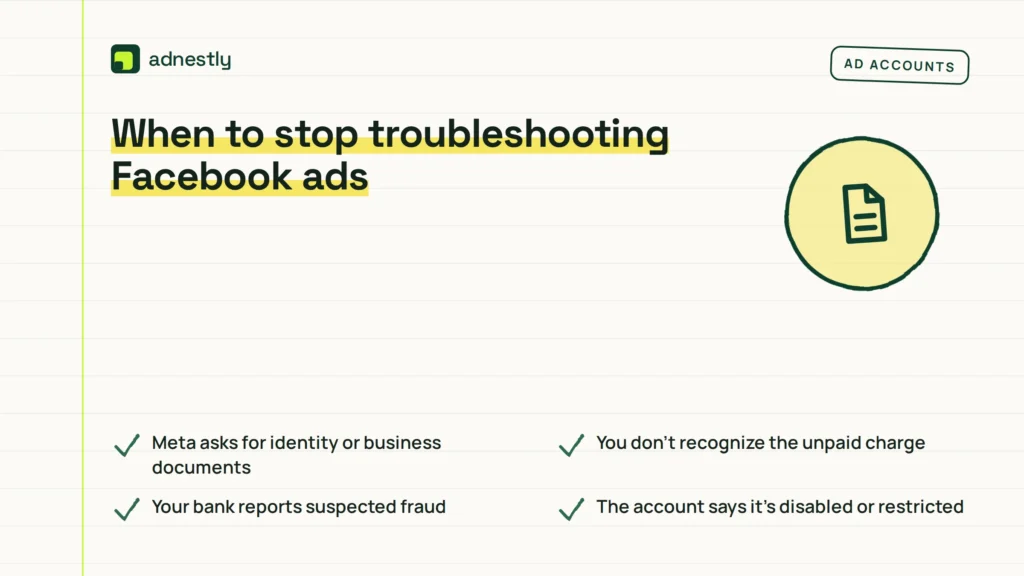
Stop making payment changes when the account shows a security, identity, or legal restriction. At that point, repeated card attempts can’t solve the underlying issue and may make the account history harder to review. If the only message is an ordinary card decline, with no restriction or fraud warning, follow the bank’s decline reason and check the billing details once before stopping.
Stop now if you see any of these signs:
- Meta asks for identity or business documents — the review needs the account owner’s information.
- You don’t recognize the unpaid charge — the account may be compromised, so secure it before payment.
- Your bank reports suspected fraud — only the bank can safely clear that card activity.
- The account says it’s disabled or restricted — use the official review or support path.
- A payment dispute or chargeback is active — further attempts may complicate the bank investigation.
Don’t send identity documents through email, messages, or a link from an unknown person. Use the support or review route inside the Meta account, and check the browser address before entering financial information. A genuine Meta prompt should lead you through the account’s own review or support flow, not ask you to bypass it in a private conversation.
If the next step involves account recovery, identity verification, a chargeback, or a business-access dispute, it may require the account owner, bank staff, or Meta support. Those steps can affect your money, personal data, advertising access, or legal rights, so they’re no longer a normal payment-method fix. Don’t create another ad account or keep testing cards to work around a restriction; that can leave the original problem unresolved and make ownership or billing records harder to explain.
The limit is simple: Meta’s exact notice and your bank’s response decide the next safe step. You can read those details in Billing & payments and in the bank transaction record; a generic card replacement won’t answer a review or security notice. If Meta shows a restriction, use its review path; if the bank shows fraud, stop card activity and follow the bank’s instructions.
Frequently asked questions
Can I run Facebook ads with a restricted payment method?
Usually, no. Meta may stop new ad delivery while a payment method or unpaid balance remains restricted, although already-delivered ads can still create a balance. Check the delivery status and billing notice together, because a payment restriction and an ad-policy restriction are different problems. If the payment method becomes available but ads remain disabled, review the ad account or campaign notice instead of trying more cards.
Why was my Facebook payment method declined?
The bank may have rejected the charge, or Meta may have rejected the method during a payment review. Check the exact wording beside the transaction before changing anything. A bank app can show whether the issuer blocked the payment, while Ads Manager can show whether Meta wants verification. The fix isn’t the same: a bank decline needs the issuer’s explanation, but a review needs the requested account or business information.
How long does a Facebook payment restriction last?
There’s no fixed number of hours for every restriction. The time depends on whether you’re waiting for a bank decision, a payment to settle, or Meta to review submitted information. Check the status in Billing & payments and keep the confirmation for any appeal or verification. If the notice gives a date or response window, that account-specific message is more useful than a general estimate.
Is it safe to add another card to Facebook Ads?
Yes, it can be safe when the card belongs to the account owner or authorized business and its billing details are correct. It isn’t safe to add a stranger’s card, use false business information, or keep testing cards after an unrecognized charge appears. Confirm the unpaid balance first. If the account may be compromised, secure access and contact the bank before adding any payment method.
What happens if I don’t pay my Facebook ad balance?
Ads can stop, and the account may remain unable to use its payment methods until the valid balance is resolved. An unpaid charge can also make later billing checks harder, especially if you keep changing cards without checking the original transaction. If you don’t recognize the charge, don’t ignore it or pay it blindly. Review account access and ask the bank and Meta to investigate it.
Does it matter which country my billing address is in?
Yes. The country, currency, card issuer, and available payment options can affect whether a method is accepted. Your billing country should match the real account and card information, not a country chosen to bypass a restriction. Check the country shown in the ad account and compare it with the issuer’s record. If the business genuinely moved, update the account through the proper business settings instead of entering a temporary address.
Can I remove a restricted payment method from Facebook Ads?
Sometimes, but an active balance or primary-method requirement may prevent removal. First check whether the method is attached to an unpaid charge, active campaigns, or another business asset. Don’t delete records or close the account to hide a failed payment. If Ads Manager won’t remove it, follow the message shown there or contact Meta support; the block may be tied to billing status rather than the card itself.
Conclusion
The safest path is to match the notice to the right owner: your bank for a declined transaction, Meta for a review, and account security support for an unfamiliar charge. Make one informed correction, then check whether the balance and payment status actually changed.

Aaron Kelly writes about Facebook tools, account management, and business advertising. His content covers account security, Facebook Ad Accounts, Business Manager setup, Pixel and conversion tracking, Business Manager verification, and admin profile verification. He focuses on explaining technical processes and common account issues in practical terms, helping businesses and advertisers manage their Facebook assets more effectively and build a more secure, reliable advertising setup.
Checked against Meta’s own documentation. How we write and update guides