Facebook Ads Charged After Pausing: Why It Happens

Getting charged for facebook ads after pausing them usually comes down to earlier ad delivery, delayed billing, or a payment threshold that was reached after you paused the campaigns. Pausing stops new ad delivery, but it doesn’t erase costs already recorded. Meta may still process unpaid spending, a pending card charge, or an invoice created before the pause. The amount can also differ from the last number you saw because reporting and payment systems don’t always update at the same moment.
$ part ofFacebook Ad Account Problems: How to Fix Every Common IssueThe complete guide this article belongs toOpen guide →How Facebook ad billing works
Facebook ad billing has several parts working together. The ads create spending, Meta records that spending, and the payment system collects it under your account’s billing settings. A problem in one part can look like a charge for ads that are already paused.
| Part or input | What it does | What you notice when it goes wrong |
|---|---|---|
| Campaign delivery | Creates new ad spending | Spend rises after pausing |
| Ad account | Groups campaigns and charges | Unexpected account total |
| Billing threshold | Triggers automatic payment | Charge arrives later |
| Monthly billing date | Collects unpaid balance | Charge after a pause |
| Payment method | Receives the payment request | Pending or failed charge |
| Ads reporting | Shows recorded spending | Numbers look different |
A campaign pause affects delivery, not necessarily the full billing process. Meta’s advertising terms and account screens explain the exact payment setup for your account, so check Billing & payments rather than relying only on the campaign status.
Threshold accounts trigger a charge only when spend hits a preset limit or the monthly bill date arrives. You might pause ads today but still owe for impressions served before the pause registered. This lag is normal and doesn’t indicate unauthorized spending.
Monthly invoice accounts consolidate all charges onto a single statement regardless of daily pauses. If you stop ads mid-cycle, the remaining balance still posts on your scheduled billing date. Confusing this scheduled collection with new activity leads to unnecessary support tickets.
Reporting dashboards update slower than the actual billing ledger during high-volume periods. Always reconcile charges against the transaction history in Billing & payments instead of the Ads Manager overview. The transaction log shows the precise timestamp and amount Meta actually collected from your payment method.
How a Facebook ad charge happens
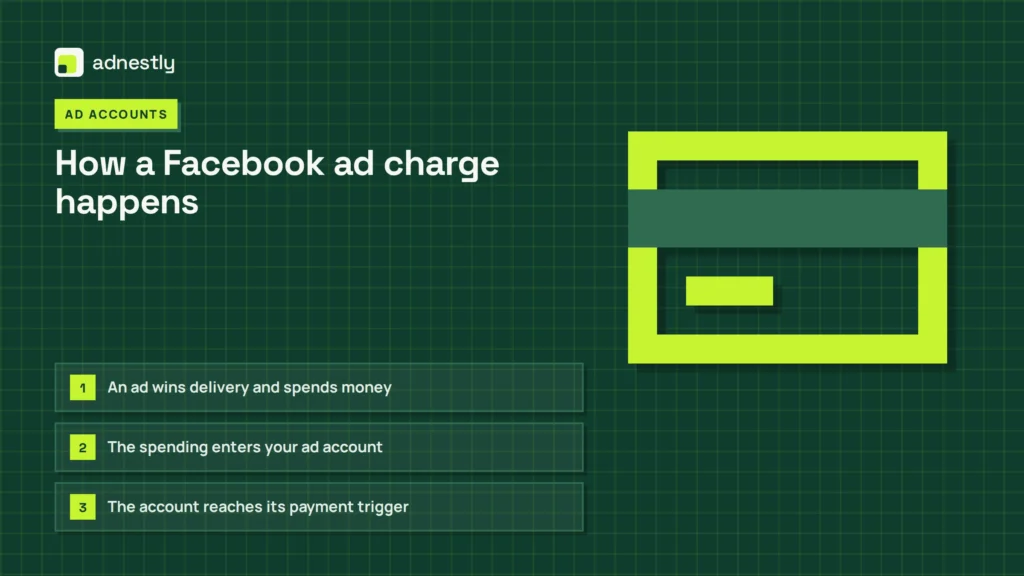
- An ad wins delivery and spends money. Your campaign enters an auction, and Meta delivers an impression, click, or other chosen result. The amount depends on your bid, audience, budget, and delivery. This first stage happens while the campaign is active. Pausing later can’t remove that completed delivery.
Advertisers often confuse the daily budget with what actually gets spent in a single day. A campaign set to an inexpensive daily amount relative to alternatives might deliver less if the audience is too small. It might also spend slightly more if Meta finds cheap results early in the day.
- The spending enters your ad account. Meta records the activity against the account, campaign, ad set, or ad. Reporting may update before or after the billing screen. Give the account a few minutes to refresh. Then compare the campaign’s date range with the transaction’s billing period.
A common mistake is reading the Ads Manager reporting column as the final bill. That column shows estimated performance costs. The actual charge comes from the billing center, which groups transactions by payment cycle rather than campaign dates.
- The account reaches its payment trigger. Automatic billing can happen after the account reaches its billing threshold. It can also happen on its monthly billing date for the unpaid balance. Your current threshold and billing date appear in the account’s payment settings. Don’t assume the campaign’s daily budget is the same as the payment trigger.
New accounts usually start with a low threshold that’s inexpensive relative to later limits. Meta raises this limit automatically after several successful payments. If you run multiple campaigns at once, their combined spend hits that threshold much faster than any single daily budget suggests.
- You pause the campaign. The pause prevents new delivery after Meta applies the change. It doesn’t cancel impressions already served, clicks already recorded, or a balance already waiting for collection. If delivery still appears afterward, check the delivery time and account time zone before treating it as a new charge.
Meta’s servers operate on Pacific Time by default unless you changed it during setup. A pause applied at midnight Eastern might still allow three hours of delivery if the account uses the Pacific clock. Always verify the time zone listed in your account settings.
- Meta sends the payment request. The payment system charges the saved card, bank method, or another available method. A bank may show the transaction as pending before it settles. This step can happen after the ads stop, because the charge relates to earlier account activity.
If your primary card declines, Meta immediately tries any backup method attached to the account. Users who delete a failing card without adding a replacement often find their ads paused unexpectedly across all active campaigns.
- The transaction settles or fails. A completed payment reduces the unpaid balance. A failed payment can create another attempt or an account restriction, depending on the payment setup. Open the transaction details and compare its amount, status, and billing period with the account’s spend before contacting your bank.
Banks frequently flag international digital advertising charges as suspicious activity. Calling your card issuer to whitelist Meta’s billing entity prevents these automatic holds. If a payment fails twice, the account locks until you manually settle the outstanding balance through the payment settings page.
Why Facebook ads charge after pausing
A post-pause charge is usually valid when it covers delivery that happened before the pause took effect. The campaign status answers, “Should new ads run?” It doesn’t answer, “Has every earlier result reached billing?” That difference is the main reason a charge can appear after you stop a campaign.
Meta processes ad auctions in batches rather than instantly. When you click pause, any impressions already won in the auction still deliver and bill to your account. This lag typically lasts a few minutes but can stretch longer during high-traffic periods.
A pause can also happen after the account has reached its payment threshold. In that case, Meta may already have prepared the charge, even though the campaign later shows as paused. The same applies to a monthly billing date: the account collects an unpaid balance, not only spending from campaigns that are active at that exact moment.
The timing of the charge is another clue. A charge that matches the account’s recorded spend is usually a billing delay, not fresh delivery. A bank transaction marked “pending” can also be a temporary authorization, so its final amount may change or disappear after the bank finishes processing it.
If the charge is higher than expected, compare three things: the transaction date, the billing period, and the campaign’s lifetime spend. Also check every campaign in the same ad account. A common mistake is checking only the paused campaign; that can make a charge from another active or recently active campaign look unrelated, and a dispute may then delay a legitimate payment.
Advertisers often miss this because they filter their Ads Manager view by the single paused campaign. Switch the reporting view to show all campaigns across the entire ad account for that billing period. You’ll frequently find the extra dollars came from a separate campaign running on automated rules.
If the account shows delivery after the pause time, compare the exact time zone and activity history. If the account shows no matching spend, download the billing transaction details and check for another ad account, payment method, or business portfolio. Don’t remove the payment method before you understand the balance, because that can create a failed payment and restrict advertising access.
Check the time zone setting under your ad account’s payment settings, not your personal profile. Ads Manager reports use the account-level time zone. Pausing a campaign at midnight your local time might actually be hours away from the account’s billing cutoff.
The trade-off is simple: pausing quickly limits future spending, but it can’t reverse completed delivery. If the transaction matches recorded spend, wait for the status to settle and keep the receipt; if it doesn’t match, document the dates and contact Meta support through the account’s business help options.
What you can control in Facebook ads
You can control campaign delivery and review, but you can’t rewrite completed billing records. The controls below help you prevent confusion without changing charges that already exist.
You control
- Campaign, ad set, and ad status.
- Daily or lifetime budget settings.
- Account spending limits, where available.
- Payment method and backup method.
- Date ranges used in reports.
Pausing a campaign stops new auctions immediately. It doesn’t cancel impressions won in the last few seconds of delivery. Those final placements still bill your account normally.
Daily budgets reset at midnight Pacific Time. If your target audience lives elsewhere, your spend will cluster around their off-hours. Switch to a lifetime budget when time zones matter more than daily pacing.
Account spending limits sit above individual campaign budgets. A modest account limit that’s inexpensive relative to typical campaign budgets blocks all delivery once total account spend reaches it. Campaign-level caps can’t override it.
Fixed by design
- Delivery already completed before pausing.
- The account’s billing threshold rules.
- The monthly billing date shown in settings.
- Bank processing and authorization timing.
Meta raises your billing threshold automatically after each successful payment. You can’t manually lower it back to the original amount. This means small test campaigns eventually trigger larger automatic charges.
Your bank may place a temporary hold matching your exact threshold amount. These holds look like duplicate charges on your statement. They drop off within a few business days without any action from you.
If the account shows an unfamiliar charge after these checks, stop changing payment settings and contact Meta support or your card issuer. Don’t attempt technical work inside the payment system. Charge disputes, account ownership issues, and payment restrictions can permanently affect your advertising access.
Habits that prevent surprise Facebook ad charges
Check the account-level billing screen before pausing any campaign. The campaign view shows delivery status only. The billing screen reveals whether a balance, pending transaction, or payment request already exists against your payment method.
Set a budget that leaves room for reporting delays. Meta can bill up to 24 hours after an ad stops serving. If your available cash must stay below a hard limit, use an account spending limit where offered.
Watch the amount shown in Billing & payments rather than relying only on the campaign budget. Campaign budgets control pacing but don’t cap total account liability. Only the account spending limit prevents charges beyond your threshold.
Pause at the ad set or campaign level, then record the exact time and time zone immediately. If a later charge appears, that note gives you a clean comparison with delivery and transaction records to verify timing.
Review all active campaigns before blaming one paused campaign. A charge from a different active campaign often looks like overspending from the paused one. This mistake costs hours of misdirected troubleshooting and delayed resolution.
Download transaction receipts when a payment settles. Keep them until the next billing cycle closes cleanly. If the campaign account and billing account don’t match, contact the person managing the business portfolio directly.
Facebook ad charges vary most by account billing setup and payment status. Find your exact figure from the Billing & payments transaction details. The pause label alone never confirms whether money has actually stopped leaving your account.
Frequently asked questions
Can Facebook ads charge after I pause them?
Yes, they can charge after you pause them if the charge covers spending recorded before the pause. A pause stops future delivery after Meta processes the change, but it doesn’t cancel earlier impressions, clicks, or other billed results. Check the transaction’s billing period and compare it with campaign spend. If there’s no matching activity in the same ad account, check other campaigns and payment methods before reporting the charge.
Why did Facebook charge me after I stopped my ads?
The charge usually came from an unpaid balance or a billing trigger reached before the stop took effect. Meta may collect that balance on a billing date or after the account reaches its payment threshold. A bank may also display a pending authorization before the final transaction settles. Compare the charge amount with account-level billing records, not only the campaign’s final screen.
How long after pausing can Facebook charge me?
A charge can appear after pausing until the account’s recorded balance is collected and any pending bank transaction settles. There isn’t one safe number of hours for every account, because the timing depends on the billing threshold, monthly billing date, payment method, and bank. Read the transaction status and billing period in Billing & payments. That record is more useful than the pause time alone.
Is it safe to remove my card after pausing Facebook ads?
No, removing the card isn’t a safe way to cancel an existing balance. A payment method change doesn’t erase spending already recorded, and a failed collection can restrict the ad account. First check for unpaid balances and pending transactions. If a charge is unauthorized, save the transaction details and contact Meta support and your card issuer instead of repeatedly changing payment methods.
What happens if Facebook charges the wrong amount after pausing?
Meta may still be charging a real balance if the amount matches earlier delivery, but a mismatch needs checking. Compare the transaction with the account’s billing period, tax details, currency, and every campaign under that ad account. If the records still don’t match, keep screenshots and receipts, then use Meta’s account support route. Don’t assume the campaign pause itself proves the charge is wrong.
Does it matter which Facebook ad account I paused?
Yes, it matters because a business portfolio can contain more than one ad account. Pausing one account or campaign doesn’t stop delivery or billing in another account. Check the ad account ID shown on the transaction and compare it with the account you paused. If those IDs differ, the charge may be unrelated to the pause and needs review in the other account.
Conclusion
Unexpected charges can feel stressful, but they’re usually just the system catching up. Don’t panic when you see a late fee on your card. Instead, set a weekly reminder to check your billing summary so you won’t be caught off guard next time.

Aaron Kelly writes about Facebook tools, account management, and business advertising. His content covers account security, Facebook Ad Accounts, Business Manager setup, Pixel and conversion tracking, Business Manager verification, and admin profile verification. He focuses on explaining technical processes and common account issues in practical terms, helping businesses and advertisers manage their Facebook assets more effectively and build a more secure, reliable advertising setup.
Checked against Meta’s own documentation. How we write and update guides