How to Request a Review for a Rejected Facebook Ad

To request a review for a rejected ad, you must first identify the specific policy violation cited in your advertising dashboard, correct the offending creative or targeting element, and then click the formal appeal or review button provided by the platform. Every major advertising network—including Meta Ads Manager, Google Ads, TikTok Ads Manager, and Microsoft Advertising—operates an automated enforcement system that flags content violating its terms of service. When your advertisement is disapproved, it stops delivering immediately, pausing your campaign and halting any associated spending. The path to reinstatement requires navigating the platform’s specific dispute workflow rather than simply resubmitting the identical file. Understanding this process prevents wasted budget and keeps your marketing schedule intact.
$ part ofFacebook Ad Account Problems: How to Fix Every Common IssueThe complete guide this article belongs toOpen guide →Key Takeaways
- Always read the exact rejection reason listed in your ad account dashboard before attempting any edits or submitting an appeal.
- Fixing the underlying policy violation in your image, video, or text is mandatory before requesting a manual human review.
- Most platforms, including Meta and Google, provide a dedicated “Request Review” button directly next to the disapproved asset.
- Automated appeals typically resolve within twenty-four hours, while manual reviews involving human agents can take up to seven business days.
- Repeatedly submitting the same non-compliant ad without changes will trigger longer review delays and potential account suspension.
- Keep all landing pages fully functional and compliant with advertising policies, as broken links are a leading cause of automatic rejection.
Why Was Your Ad Rejected?
Advertising platforms rely on sophisticated machine learning models combined with human moderators to enforce their rules. Before you can successfully request a review for a rejected ad, you need to understand exactly what triggered the disapproval. The most common violations involve prohibited content categories, misleading claims, or technical formatting errors. Meta, for instance, strictly prohibits ads promoting adult products, tobacco, or unsafe supplements. Google enforces similar restrictions but adds heavy scrutiny to financial services and healthcare claims.
When an ad is flagged, the platform assigns a specific policy violation code or descriptive tag. You’ll find this tag in the delivery status column of your campaign manager. Ignoring this tag and blindly appealing guarantees another rejection. Common triggers include using excessive capitalization in headlines, featuring before-and-after images for weight loss products, or linking to a landing page that lacks a visible privacy policy. Identifying the precise rule you broke dictates how you must alter your assets before proceeding.
Another frequent cause of rejection involves restricted categories. If you’re advertising housing, employment, or credit opportunities, platforms require you to declare a Special Ad Category. Failing to check this box during campaign setup results in an immediate disapproval because these categories have strict anti-discrimination targeting limitations. Similarly, political ads require prior identity verification. If your account lacks the necessary authorization, no amount of editing the creative will pass the review until your organizational identity is confirmed.
How to Request a Review for a Rejected Ad
This section details the exact workflow for initiating a dispute after your advertisement has been disapproved. The steps vary slightly depending on which network you’re using, but the core logic remains consistent: locate the error, fix the asset, and trigger the re-evaluation mechanism. You can’t bypass the correction phase. Submitting an unedited ad back into the queue simply resets the timer and frustrates the automated systems.
For users operating within Meta Ads Manager, navigate to the “Ads” tab at the lowest level of your campaign hierarchy. Locate the ad displaying a red “Rejected” status. Hover over the status indicator to reveal the specific policy violation.
Once you have edited the text, image, or targeting parameters to comply with the stated rule, click the checkbox next to the ad name. A menu bar will appear at the top of the screen containing a “Request Review” button. Clicking this submits the corrected version to the evaluation queue.
On the Google Ads platform, the process centers around the “Policy Manager” tool. Navigate to “Tools and Settings,” then select “Policy Manager” under the “Setup” column. Here, you’ll see a list of all disapproved ads alongside their specific violation reasons.
After modifying the offending headline, description, or final URL within the ad editor, return to the Policy Manager. Select the corrected ads and click “Appeal.” You’ll be prompted to choose whether you made changes to comply or if you believe the system made an error. Choose accurately, as false declarations delay processing.
TikTok Ads Manager follows a similar structure. Go to your campaign dashboard, filter by “Disapproved” status, and click the ad name. Read the rejection reason, update the creative material in the ad editor, and save. The status will automatically shift to “In Review.”
Unlike Meta, where you must manually click a button to push the appeal, TikTok often initiates a secondary scan automatically once the saved changes are detected. However, if the status remains stuck, look for the manual appeal option in the notification center.
| Platform | Navigation Path | Action Button | Typical Processing Time |
|---|---|---|---|
| Meta Ads Manager | Campaigns > Ad Sets > Ads | Request Review | 24 to 48 hours |
| Google Ads | Tools > Policy Manager | Appeal | 1 to 3 business days |
| TikTok Ads | Campaign > Ad Group > Ad | Save / Appeal | 24 hours |
| Microsoft Ads | Campaigns > Ads | Request Review | 24 to 48 hours |
What Should You Fix Before Appealing?
Submitting an appeal without making substantive corrections is the primary reason advertisers experience prolonged disapprovals. You must address the root cause identified by the platform’s diagnostic tools. If the rejection cites “Misleading Claims,” you need to rewrite your copy to remove absolute guarantees like “cure,” “guaranteed weight loss,” or “instant results.” Replace them with verifiable, realistic statements supported by evidence on your landing page.
If the issue stems from poor image quality, replace blurry graphics, excessive text overlays, or cropped faces. Meta historically penalized images containing more than twenty percent text, and while they relaxed the hard limit, heavily text-laden images still face reduced distribution or outright rejection. Ensure your visuals are high-resolution, professionally composed, and directly relevant to the product being sold. Avoid using stock photos that feature recognizable public figures without explicit licensing agreements, as this triggers intellectual property violations.
Landing page compliance is equally critical. Many advertisers focus entirely on the ad creative and forget that reviewers—both human and algorithmic—crawl the destination URL. Your landing page must load quickly, function correctly on mobile devices, and clearly display your business name, physical address, and contact information.
If you’re collecting user data, a comprehensive privacy policy must be accessible via a direct link in the footer. Broken links, intrusive pop-ups that prevent navigation, or mismatched offers between the ad and the website will result in a failed appeal every time.
Correcting Text and Copywriting Errors
Review your headlines and primary text for grammatical errors, sensationalism, and prohibited formatting. Avoid using non-standard characters, emojis used as bullet points, or gimmicky punctuation. Ensure your value proposition aligns strictly with the platform’s acceptable use policies.
Updating Targeting Parameters
Sometimes the creative is fine, but the audience selection violates discrimination policies. If you’re running ads related to credit, housing, or employment, ensure you have removed age, gender, and zip-code targeting restrictions that violate fair housing or equal opportunity laws. Adjust your audience definitions to be broad and inclusive before hitting the appeal button.
Can You Appeal Without Making Changes?
Yes, you can submit an appeal asserting that the platform made a mistake, but this strategy carries significant risk. Algorithms occasionally flag benign content due to false positives. For example, an educational video about anatomy might be incorrectly categorized as adult content, or a news article discussing financial regulations might be flagged as offering unlicensed investment advice. In these scenarios, you can select the option stating you disagree with the decision without altering the asset.
However, you should only pursue a no-change appeal when you’re absolutely certain your content complies with every written guideline. If a human reviewer evaluates your appeal and confirms the original violation stands, your account receives a negative mark.
Accumulating these marks degrades your advertiser trust score. Platforms maintain internal metrics regarding account health; consistently losing appeals signals to the system that you’re either careless or intentionally evasive. This can lead to stricter automated filtering on future campaigns or permanent account restriction.
If you choose to dispute a decision without modifications, prepare a concise explanation if the platform provides a text box for context. State clearly why the content doesn’t violate the cited policy. Reference specific clauses in the advertising guidelines. Don’t write emotional paragraphs complaining about lost revenue. Stick to factual, policy-based arguments. Professional communication increases the likelihood that a senior reviewer will overturn the initial automated decision.
Warning: Never repeatedly submit the exact same rejected ad hoping a different reviewer will approve it. This practice, known as “review shopping,” is explicitly prohibited by networks like Meta and Google. Their systems track submission histories, and flooding the queue with identical disapproved assets will escalate your case from a simple ad rejection to a full account suspension.
How Long Does the Review Process Take?
The timeline for resolving a disputed advertisement depends heavily on the platform, the complexity of the violation, and current system volumes. During peak retail seasons—such as the weeks preceding Black Friday or Cyber Monday—review queues expand significantly, pushing standard wait times toward their maximum limits. Simple text corrections usually process faster than complex video evaluations requiring frame-by-frame analysis.
Automated reviews, where the system simply rescans your updated text or metadata against its database, often conclude within a few hours. Manual reviews, which require a human agent to interpret context, evaluate visual nuances, or verify legal documentation, inherently take longer. If your ad falls into a heavily regulated industry like pharmaceuticals, gambling, or alcohol, expect the upper end of the waiting spectrum, as specialized compliance teams handle those queues.
You can monitor the progress of your appeal directly within your campaign dashboard. The status will transition from “Rejected” to “In Review” once your request is successfully logged. It’s crucial that you don’t edit the ad while it sits in the “In Review” state. Any modification—even changing a single comma in the description—will cancel the current review and restart the clock from zero. Patience is a required operational discipline during this phase.
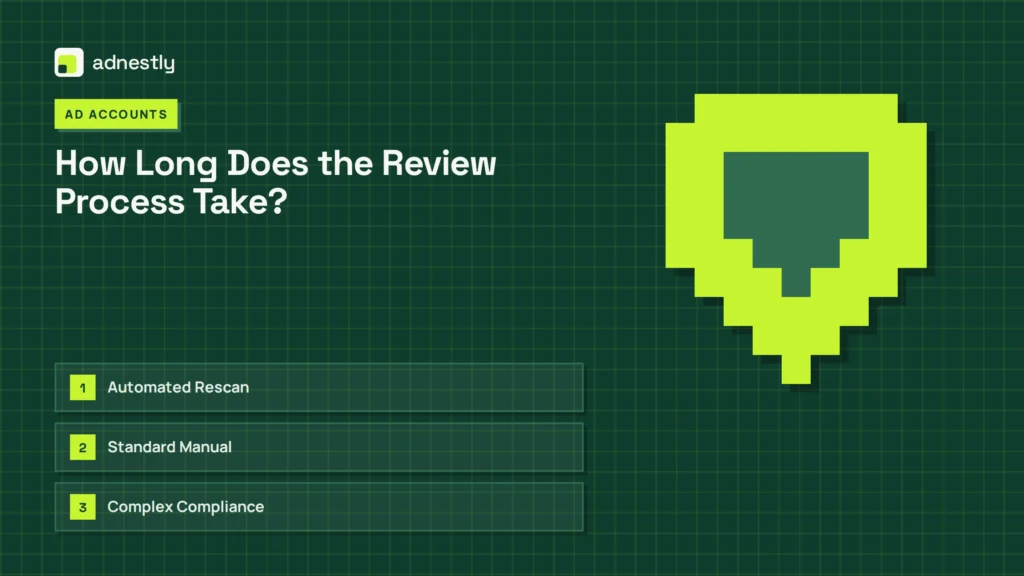
| Review Type | Description | Expected Wait Time |
|---|---|---|
| Automated Rescan | System checks updated text/metadata | 2 to 24 hours |
| Standard Manual | Human agent reviews image/video context | 24 to 72 hours |
| Complex Compliance | Regulated industries (healthcare, finance) | 3 to 7 business days |
Pro Tip: If your ad has remained “In Review” for significantly longer than the platform’s published maximum timeframe, don’t delete and recreate the campaign. Deleting removes the audit trail. Instead, use the platform’s official support chat or help center ticketing system to request a status update, referencing the specific ad ID number.
Where to Find Official Policy Guidelines?
Relying on third-party blogs or outdated forum posts to interpret advertising rules frequently leads to repeated rejections. Policies evolve constantly to address new regulatory requirements and societal shifts. To build compliant campaigns, you must consult the primary source documents maintained by the advertising networks themselves. These documents outline exactly what is permitted, what is restricted, and what is entirely banned.
For Meta advertisers, the definitive resource is the Meta Advertising Standards. This document covers everything from personal attributes and sensational content to grammar rules and landing page functionality. Bookmarking this page and reviewing it before launching new creative concepts prevents the majority of common disapprovals. The standards are organized by category, making it easy to search for specific rules related to your industry.
Google maintains its own extensive library called “Google Ads policies,” which separates requirements into prohibited content, prohibited practices, restricted content, and editorial standards. Microsoft Advertising and TikTok similarly publish comprehensive business help centers detailing their unique community guidelines. Familiarizing yourself with the specific vocabulary each platform uses—for instance, Meta’s definition of “Personal Health” versus Google’s definition of “Healthcare”—ensures your copy avoids triggering sensitive keyword filters.
Understanding the distinction between “Restricted” and “Prohibited” is vital. Prohibited content can’t be advertised under any circumstances. Restricted content can be advertised, but only if you meet specific criteria, such as obtaining prior written authorization, limiting your geographic targeting, or adding mandatory disclaimer text to your creative. Confusing these two categories is a primary driver of failed appeals.
What Happens If Your Appeal Fails?
A denied appeal means the platform has reviewed your submission and upheld the original disapproval decision. At this stage, the specific ad unit can’t be run. Your options narrow significantly, and you must pivot strategically rather than continuing to fight a losing battle against the same asset. Continuing to push a rejected concept risks damaging your overall account standing.
First, analyze the feedback provided after the failed appeal. Did the platform offer additional context? Sometimes a second rejection clarifies that the issue isn’t the image itself, but the claim made in the headline. Use this refined information to completely overhaul the campaign angle. You may need to shoot new video footage, hire a different copywriter, or change the fundamental offer you’re presenting to the audience.
Second, consider utilizing a different ad format. If a static image was rejected for implying a personal attribute, a broader brand-awareness video might convey the same message without violating the specific policy clause. Alternatively, adjust your landing page architecture. If the destination URL is the actual point of failure, redirecting your traffic to a newly built, fully compliant page might allow the original creative to pass upon a fresh submission.
Finally, if you believe the denial represents a severe misinterpretation of the rules and your business depends on this campaign, escalate through official partner channels. Agencies holding premier partnership status with Meta or Google often have access to dedicated account representatives who can facilitate higher-level reviews unavailable to standard self-serve advertisers.
Assessing Account Health Impacts
Check your “Account Quality” or “Policy Center” dashboard immediately after a failed appeal. Look for warning banners indicating restricted reach or impending suspension. Address any secondary violations listed there before launching new campaigns.
Pivoting Your Creative Strategy
Abandon the rejected angle entirely. Brainstorm alternative value propositions that achieve your marketing goal without relying on the specific imagery or phrasing that triggered the enforcement action. Fresh concepts reset the algorithmic bias against your previous attempts.
Are There Alternatives to Formal Appeals?
If the formal review process feels too slow or your appeal was unjustly denied, you possess alternative avenues to restore your advertising momentum. Relying solely on the “Request Review” button isn’t always the most efficient path to resolution, especially for enterprise accounts managing substantial daily budgets.
Contacting direct customer support is the most reliable alternative. While smaller accounts often struggle to reach live agents, persistent use of the “Help” or “Support” icons within the Ads Manager interface can eventually route you to a chat representative. Explain the situation calmly, provide the exact ad ID, and ask them to escalate the ticket to the internal policy team. Support agents can’t override policies, but they can expedite reviews stuck in automated loops.
Engaging with your assigned account manager—if your spending volume qualifies you for one—is highly effective. Account managers act as liaisons between advertisers and the internal trust and safety teams. They understand the nuanced differences between policy interpretations and can advocate on your behalf when an algorithm makes an obvious error. If you operate through an authorized sales partner or agency, leverage their established communication channels.
Community forums represent a final, indirect alternative. While posting your specific ad details publicly is risky, searching the official advertiser community boards for your specific rejection code often reveals workarounds discovered by other professionals. Occasionally, platform employees monitor these boards and intervene in widespread systemic errors affecting multiple accounts simultaneously.
Preventing Future Ad Rejections Entirely
The most effective way to handle rejected advertisements is to prevent them from occurring in the first place. Building a proactive compliance framework within your marketing team saves countless hours of troubleshooting and protects your advertising budget from unexpected pauses. Prevention requires integrating policy awareness directly into your creative development pipeline.
Implement a mandatory pre-launch checklist. Before any asset enters the campaign manager, it should be cross-referenced against the platform’s current advertising standards. Verify that all claims are substantiated, images meet resolution requirements, text overlays are minimal, and landing pages load correctly across devices. Assign a dedicated compliance reviewer within your team whose sole responsibility is catching violations before the algorithms do.
Maintain a clean domain history. Platforms evaluate the reputation of the URLs you advertise. If your website has previously hosted malware, engaged in deceptive redirects, or accumulated numerous policy strikes, new ads pointing to that domain face heightened scrutiny. Regularly audit your website’s security certificates, remove broken outbound links, and ensure your privacy policies are updated to reflect current data protection regulations like GDPR or CCPA.
Advertiser trust scores dictate how aggressively platforms filter your content. Accounts with long histories of compliant behavior often experience faster approvals and fewer false positives. Conversely, new accounts or those with frequent violations face aggressive automated blocking. Nurture your account reputation by starting with conservative, undeniably compliant campaigns before scaling into more aggressive marketing angles.
Frequently Asked Questions
Why is my ad still in review after three days?
High volumes during holiday seasons or complex policy categories often extend review times beyond standard estimates. Don’t edit the ad, as this restarts the timer. Check your email for requests for additional documentation, such as business licenses or identity verification, which pause the process until fulfilled.
Can I delete a rejected ad and just make a new one?
While technically possible, deleting and recreating identical non-compliant ads is considered circumventing systems. Platforms track deleted assets. Consistently recreating rejected ads damages your account quality score and significantly increases the risk of a permanent advertising ban across the entire business portfolio.
Will requesting a review cost me extra money?
No. Submitting an appeal or requesting a manual review is entirely free on all major advertising platforms, including Meta, Google, and TikTok. You’re never charged fees for the administrative process of evaluating your content for policy compliance.
Do I need a lawyer to appeal an ad rejection?
Legal representation is unnecessary for standard ad rejections. The process relies on adhering to published platform guidelines, not statutory law. However, if your account faces permanent suspension due to alleged trademark infringement or severe legal violations, consulting an attorney specializing in digital advertising becomes advisable.
How many times can I appeal the same ad?
Platforms generally allow one formal appeal per specific rejection event. If that appeal fails, you can’t repeatedly appeal the exact same unchanged asset. You must make substantive edits addressing the cited violation before the system permits you to submit the modified version for another evaluation cycle.
Does a rejected ad hurt my overall account standing?
A single rejection rarely impacts your standing. However, a pattern of frequent violations or repeatedly losing appeals lowers your internal trust score. Severe drops in this metric result in limited ad delivery, higher minimum bid requirements, or eventual suspension of your entire advertising account.
Conclusion
Once you have successfully navigated the appeal process and your advertisement is actively delivering, monitor its performance metrics closely during the first forty-eight hours. Check your click-through rates and conversion data to ensure the modifications you made to satisfy the policy review didn’t negatively impact the creative effectiveness. Log the specific violation and the successful resolution in a shared team document so your organization permanently avoids repeating

Aaron Kelly writes about Facebook tools, account management, and business advertising. His content covers account security, Facebook Ad Accounts, Business Manager setup, Pixel and conversion tracking, Business Manager verification, and admin profile verification. He focuses on explaining technical processes and common account issues in practical terms, helping businesses and advertisers manage their Facebook assets more effectively and build a more secure, reliable advertising setup.
Checked against Meta’s own documentation. How we write and update guides