Billing Hold Facebook Ads: What It Means and How to Fix It

Running paid campaigns requires a reliable payment pipeline, and when that pipeline breaks, your ads stop running immediately. A billing hold on facebook ads means Meta has suspended your ad account’s ability to spend money because it cannot process a payment or flags unusual activity. Understanding the exact trigger is the first step toward restoring your campaigns and protecting your advertising budget.
$ part ofFacebook Ad Account Problems: How to Fix Every Common IssueThe complete guide this article belongs toOpen guide →Key Takeaways
- A billing hold pauses all active ad sets until the underlying payment issue is resolved within Ads Manager.
- Updating an expired credit card or adding a new debit card in Payment Settings resolves most holds within minutes.
- Contacting your bank to whitelist charges from Meta prevents future declines triggered by automated fraud filters.
- Submitting a manual review request through Account Quality is required if the hold stems from suspicious activity rather than a simple declined charge.
- Setting up a secondary payment method acts as a backup so your ads don’t stop if the primary card fails.
- Prepaid cards frequently trigger holds; using a standard business credit card or direct bank transfer ensures smoother processing.
What Is a Billing Hold?
A billing hold is a temporary restriction placed on your Meta ad account that prevents any further ad spend. When this happens, all active campaigns, ad sets, and individual ads are immediately paused. The system applies this restriction automatically when it detects a problem with your payment method or notices irregular spending behavior. You’ll typically see a red alert banner inside Ads Manager indicating that action is required.
This restriction is distinct from a permanent ban or a policy violation. It’s strictly a financial safeguard. Meta implements these holds to protect both advertisers and the platform from unpaid invoices or fraudulent transactions. Until the specific issue is addressed, the platform won’t deliver your advertisements to your target audience. Your ad delivery remains completely frozen during this period.
The most common scenario involves a failed automatic charge. Meta bills advertisers either when they reach a specific billing threshold or at the end of their monthly billing cycle. If the system attempts to charge your card and the transaction is rejected by your bank, the account goes into a hold state. Another frequent cause is a sudden, unexplained spike in daily spending that triggers internal security algorithms. In either case, the resolution requires manual intervention from the account administrator.
What Does a Billing Hold Mean?
When you encounter a billing hold, it means Meta has stopped processing payments for your specific ad account. It doesn’t necessarily mean your account is permanently disabled, but it does mean your current campaigns are dead in the water. The platform is essentially waiting for you to verify your identity, update your financial details, or explain a sudden change in your advertising behavior.
For business owners, this translates directly to interrupted lead generation and halted sales pipelines. Every hour your ads remain paused is an hour your competitors might be capturing your audience’s attention. The meaning behind the hold is always tied to risk mitigation. Meta wants assurance that the funds used to pay for impressions and clicks are legitimate and available. Resolving the issue requires identifying exactly which risk factor was triggered.
Understanding the meaning also involves recognizing where the problem originated. Sometimes the fault lies with Meta’s internal systems, but more often, the issue originates with the advertiser’s bank or the payment method itself. Checking your email associated with the ad account usually provides a notification explaining the specific reason for the interruption. This email is your starting point for troubleshooting the payment failure.
Common Causes of Billing Holds
Identifying why your account was flagged is essential before attempting a fix. Applying the wrong solution will only delay the reactivation of your campaigns. There are several distinct reasons Meta places accounts in this restricted state.
| Cause Category | Specific Trigger | Prevention Strategy |
|---|---|---|
| Payment Failures | Expired credit card, insufficient funds, incorrect CVV | Regularly update cards before expiration dates |
| Bank Interventions | Fraud alerts blocking Meta charges, international transaction blocks | Notify your bank about expected advertising expenses |
| Account Behavior | Sudden massive budget increases, logging in from unusual geographic locations | Scale budgets gradually over several days |
| Policy Overlaps | Suspicious activity mimicking fraud, mismatched business information | Keep business details consistent across all Meta platforms |
Expired or Invalid Cards
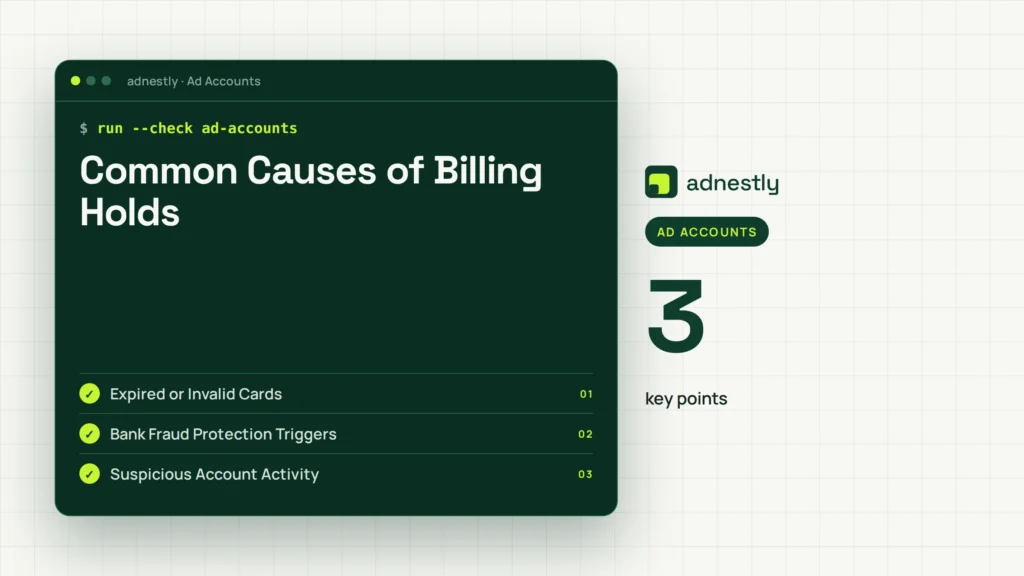
The most frequent culprit is simply an outdated payment method. Credit cards expire every few years, and if you forget to update the expiration date in Ads Manager, the next scheduled charge will fail. Similarly, if you canceled a card and forgot to remove it from your advertising account, the system will attempt to bill a closed account. Ensuring your primary payment method is always current prevents this easily avoidable disruption.
Bank Fraud Protection Triggers
Banks use sophisticated algorithms to detect unusual purchases. Because Meta processes charges from various locations and sometimes under different corporate names, your bank might flag the transaction as fraudulent. When this happens, the bank declines the charge to protect you, which inadvertently causes a billing hold. Calling your bank to authorize charges from Meta is a necessary step for many advertisers running significant monthly budgets.
Suspicious Account Activity
If someone gains unauthorized access to your account and attempts to drastically increase your daily budget, Meta’s security systems will freeze the account. Additionally, logging in from a foreign country without prior history can trigger these safeguards. Meta enforces strict security protocols detailed in their official documentation regarding Meta account security to prevent unauthorized spending. These automated freezes require you to prove your identity before the hold is lifted.
Steps to Fix Facebook Ads Billing Holds
Resolving a billing hold follows a specific sequence of steps. Rushing through them or skipping straight to customer support usually results in longer delays. Follow this structured approach to restore your ad delivery as quickly as possible.
| Step | Action Required | Expected Timeframe |
|---|---|---|
| 1 | Identify the exact error message in the billing section | Immediate |
| 2 | Update or replace the failing payment method | 5 to 10 minutes |
| 3 | Manually initiate a payment for the outstanding balance | Immediate after updating |
| 4 | Request an account review if the manual payment fails | 24 to 48 hours |
First, navigate to Ads Manager and click on the “Billing & Payments” section. Look for the red warning text. It will explicitly state whether a card was declined or if the account was restricted for security reasons. Don’t guess; read the exact error code provided by the interface.
Second, go to “Payment Settings.” If your card is expired, input the new details. If the card is valid but still failing, add a completely different payment method, such as another credit card or a linked PayPal account. Make this new method your primary source for funding.
Third, once the new method is saved, look for the “Pay Now” button next to your outstanding balance. Clicking this forces the system to attempt the transaction again immediately. If the payment succeeds, the hold is usually lifted automatically within a few minutes, and your campaigns will resume their normal delivery schedule.
Fourth, if the manual payment still fails despite using a known good card, you must escalate the issue. Use the “Request Review” button located within the Account Quality dashboard. You’ll need to provide a brief explanation and potentially upload identification documents to prove you’re the authorized account holder.
Why Did My Payment Fail?
A payment failure is the mechanical event that triggers the hold, but understanding why the specific transaction failed helps prevent future occurrences. The failure happens between Meta’s payment processor and your financial institution.
Sometimes the issue is a simple data entry error. A transposed digit in your credit card number, an incorrect billing zip code, or a mistyped security code will result in an immediate decline. Double-checking your entered information against the physical card is a mandatory first troubleshooting step.
Other times, the failure relates to your account limits. If you’re using a debit card with a strict daily spending limit, a large advertising invoice might exceed that cap. Corporate purchasing cards often have similar restrictions. Switching to a card with higher limits or requesting a temporary limit increase from your bank resolves this specific type of transaction decline.
Warning: Never repeatedly click the “Pay Now” button if your payment keeps failing. Multiple rapid attempts can cause your bank to hard-lock your card for suspected fraud, turning a minor advertising hiccup into a major banking headache. Stop after two attempts, contact your bank, and then try again.
Can I Prevent Future Holds?
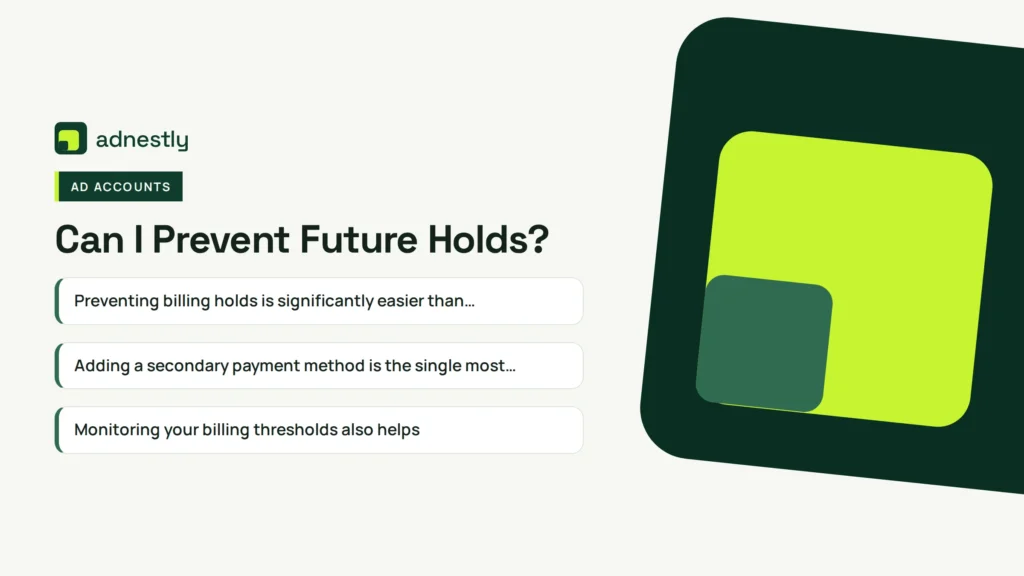
Preventing billing holds is significantly easier than fixing them. Implementing proactive account management habits ensures your campaigns run continuously without unexpected interruptions.
Adding a secondary payment method is the single most effective preventive measure. If your primary credit card fails due to a temporary bank issue, Meta’s system will automatically attempt to charge your secondary method. This seamless fallback prevents the account from ever entering a hold state. Ensure the secondary method is a completely different card from a different bank if possible.
Monitoring your billing thresholds also helps. If you scale your advertising rapidly, your billing threshold—the amount you can spend before Meta charges you—might not adjust fast enough. Keeping an eye on your daily spend relative to your threshold allows you to manually pay down balances before they accumulate into large invoices that banks might flag.
Using appropriate financial instruments matters greatly. Standard business credit cards issued by major networks like Visa, Mastercard, or American Express process smoothly. Avoid using prepaid gift cards or virtual cards generated by obscure applications, as Meta’s risk algorithms frequently reject these due to their association with fraudulent accounts.
Finally, keep your business information updated. If your company changes its legal name or address, update those details in your Business Manager settings immediately. Mismatches between your billing address and the address your bank has on file are a common source of silent payment failures. Maintaining accurate account details builds trust with the platform’s automated systems.
Does a Hold Affect Ad Performance?
When your ads are paused due to a billing hold, you aren’t just losing immediate visibility; you’re potentially damaging the long-term efficiency of your campaigns. Meta’s algorithm relies on continuous data collection to optimize ad delivery.
When a campaign stops abruptly, the learning phase resets. Once the hold is cleared and your ads restart, the algorithm must relearn which users are most likely to convert based on your targeting parameters. This means your cost per acquisition will likely be higher immediately following a hold than it was right before the interruption occurred.
Furthermore, prolonged holds can negatively impact your ad relevance scores. If your ads disappear from auctions for several days, competitors fill that space. When you return, you’re competing against established momentum, which can drive up your overall auction costs. Resolving holds within hours rather than days minimizes this algorithmic damage.
It’s also worth noting that retargeting audiences shrink during a hold. If you rely on pixel-based audiences of people who visited your site in the last seven days, a five-day hold means you lose a massive portion of that warm audience. The compounding effect of lost optimization data and shrinking audiences makes swift resolution critical for maintaining healthy campaign metrics.
Should I Contact My Bank?
In many cases, contacting your bank isn’t just recommended; it’s absolutely required to lift a hold. If you have verified that your card details are correct and your balance is sufficient, the blockage is almost certainly on the bank’s end.
Call the number on the back of your credit or debit card. Ask to speak with the fraud or authorization department. Inform them that you’re attempting to make a payment to Meta Platforms, Inc., and ask if there are any pending blocks on your account. Often, the representative can see the exact declined attempt and clear the flag immediately while you’re on the phone.
If you travel frequently or manage accounts from different countries, inform your bank of this pattern. Geographic anomalies are a primary trigger for automated fraud systems. Giving your bank advance notice of your operational habits prevents them from misinterpreting legitimate advertising expenses as stolen card usage.
Some banks require you to specifically whitelist certain merchants. Ask your representative if they can add Meta to your approved merchant list. This permanent adjustment prevents future holds caused by overly aggressive banking security protocols. Document the date, time, and name of the representative you spoke with in case you need to reference the conversation later during a bank dispute.
How Long Does Resolution Take?
The timeline for resolving a billing hold varies dramatically depending on the root cause. Simple payment issues are fixed quickly, while security reviews take much longer.
If the hold was caused purely by an expired card or a temporary bank decline, the resolution is nearly instantaneous. Once you update the payment method and successfully process the outstanding balance manually, the system typically releases the hold within fifteen to thirty minutes. Your ads will begin delivering again shortly after.
However, if the hold was triggered by suspicious activity requiring a manual review, the timeline extends significantly. Meta’s support teams generally take between twenty-four and forty-eight hours to process these reviews. During peak advertising seasons, such as the weeks leading up to major retail holidays, this review period can stretch to three or four business days.
If you’re asked to submit identity verification documents, the clock resets upon submission. Ensure your uploaded documents are clear, legible, and match the name on the ad account exactly. Blurry photos or mismatched names will result in a rejection, forcing you to start the multi-day waiting period over again. Patience and precision are vital when dealing with review timelines.
Frequently Asked Questions
Why did Facebook put my ad account on hold?
Facebook places ad accounts on hold primarily due to failed payments, suspicious login activity, or violations of their advertising policies. A declined credit card is the most common reason. The system automatically restricts spending to prevent accumulating unpaid debt. Check your email and Ads Manager notifications for the specific reason applied to your account.
How do I get my Facebook ad account off hold?
To remove a hold, navigate to your Billing & Payments section in Ads Manager. Update your payment method if your card failed, then click “Pay Now” to clear any outstanding balance. If the hold is due to suspicious activity, you must go to Account Quality and submit a review request along with any required identification documents.
Can I run ads on another account while one is on hold?
Yes, if you manage multiple ad accounts under a single Business Manager, a hold on one account doesn’t automatically pause the others. However, if the hold is due to severe policy violations or identity fraud, Meta may restrict your entire Business Manager, preventing you from launching campaigns on any associated accounts.
Will I be charged while my account is on billing hold?
No, you won’t accrue new advertising charges while your account is on a billing hold because your ads are completely paused and not participating in auctions. However, you’re still responsible for paying any outstanding balance that accumulated right before the hold was triggered. That debt must be settled to reactivate the account.
Does a billing hold hurt my account reputation?
A single, brief billing hold caused by an expired card rarely damages your long-term account reputation. However, frequent holds or prolonged periods of unpaid balances can lower your internal trust score. Accounts with poor payment histories may face stricter billing thresholds, more frequent manual reviews, or eventual permanent restrictions from the platform.
What payment methods does Facebook accept for ads?
Meta accepts major credit cards including Visa, Mastercard, American Express, and Discover. They also accept debit cards with a Visa or Mastercard logo, PayPal accounts, and direct bank transfers in certain regions. Prepaid cards and virtual credit numbers are frequently rejected by their automated security systems and should generally be avoided.
Conclusion
Once you have updated your payment details and successfully processed the outstanding balance, monitor your Ads Manager closely over the next twenty-four hours. Verify that your campaigns have exited the learning phase smoothly and that your cost per result is stabilizing. Adding a secondary payment method today ensures you never face this interruption again.

Aaron Kelly writes about Facebook tools, account management, and business advertising. His content covers account security, Facebook Ad Accounts, Business Manager setup, Pixel and conversion tracking, Business Manager verification, and admin profile verification. He focuses on explaining technical processes and common account issues in practical terms, helping businesses and advertisers manage their Facebook assets more effectively and build a more secure, reliable advertising setup.
Checked against Meta’s own documentation. How we write and update guides